Documentation

Documentation

Get started with Motion Studio

Motion Studio is a suite of AI and visual animation editing tools for your favourite code editors.

Unlock the full Motion Studio featureset with Motion+.

Install Motion Studio

One-click install for Cursor:

Motion Studio is also compatible with VS Code, Google Antigravity and more. See full installation guide.

Features

Documentation

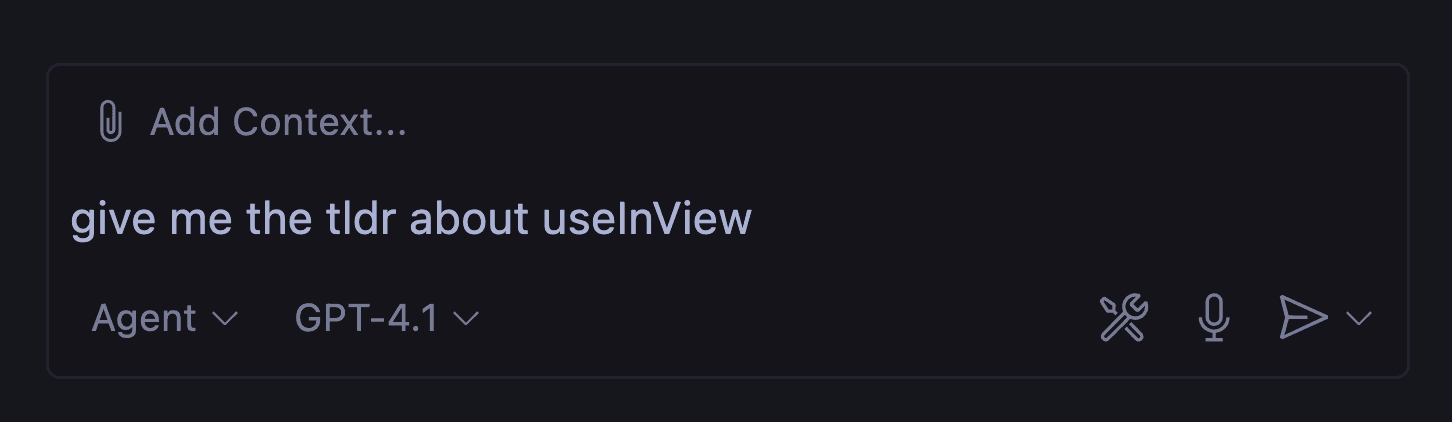
LLMs are trained on data that is often out of date, leading to incorrect answers or inaccurate code. Motion Studio provides the latest documentation to your LLM so it's always up to speed.

Learn more about documentation for LLMs

Bezier curve editing

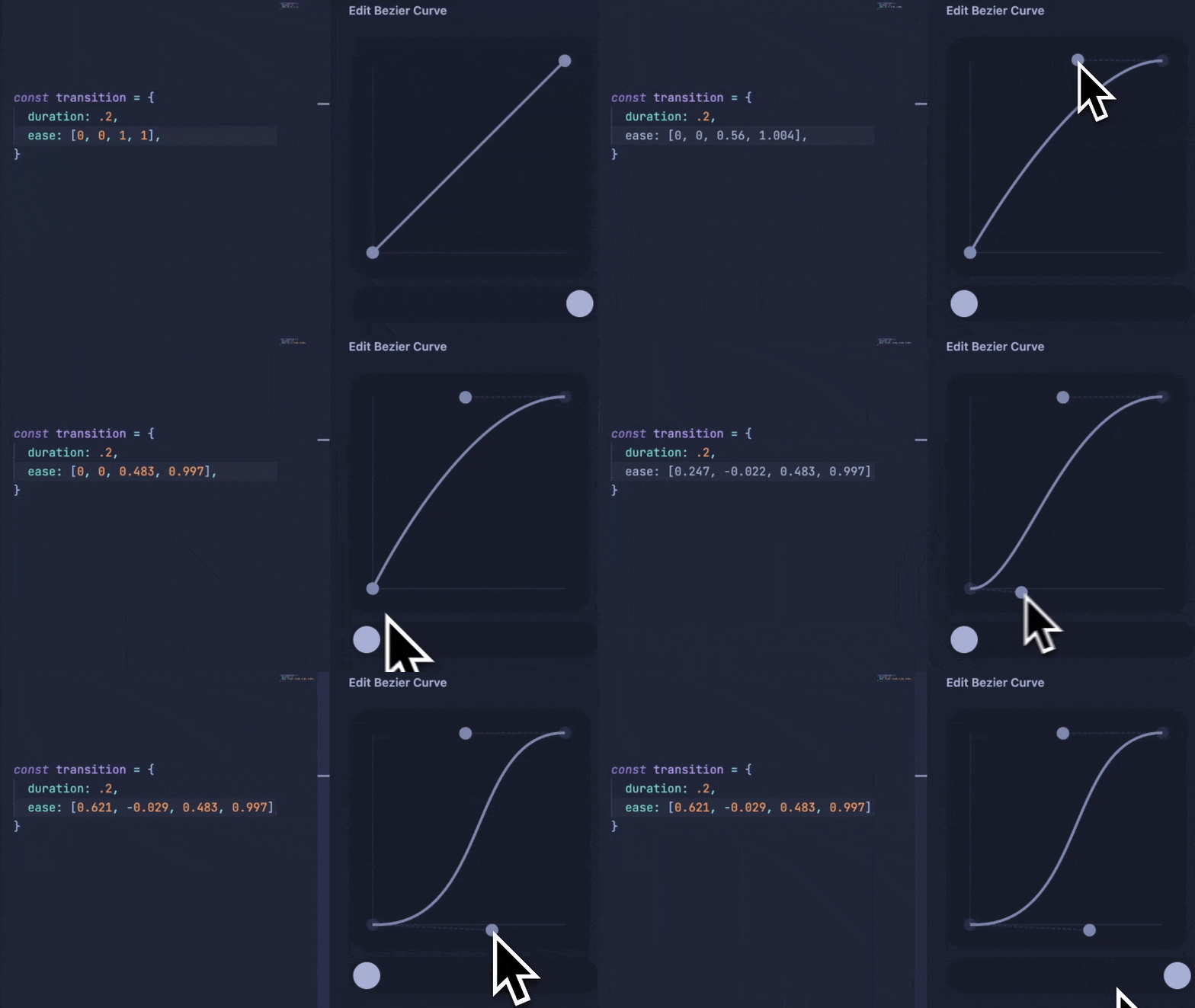
Motion Studio enables real-time editing and preview of bezier curves, without having to leave your editor.

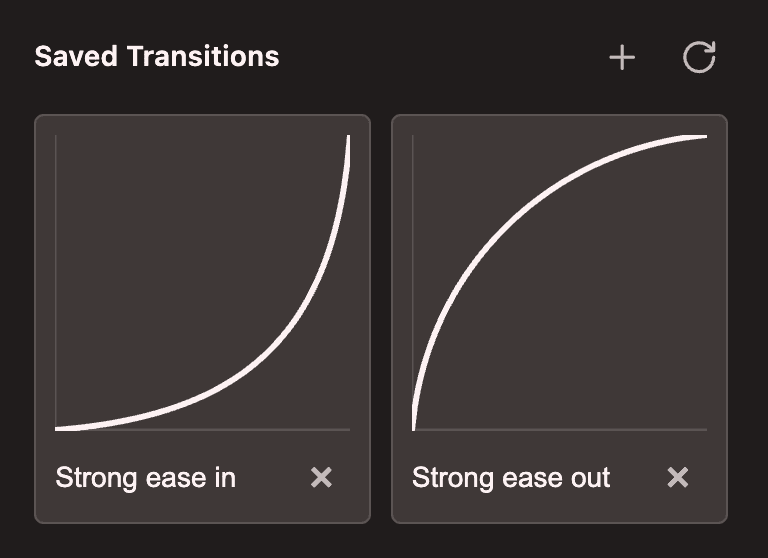
Your favourite transitions can be saved and reused anywhere.

Install the extension

Generate CSS springs

Motion Studio gives your AI editor the ability to generate CSS linear() easing curves to create springs or other custom easing curves, using real Motion code.

Generate a CSS spring that's quite bouncy

600ms linear(0, 0.0121 /* ... */)

Learn more about CSS generation

Visualise animations

Motion Studio enables your LLM to visualise springs and easing curves. Just select a spring or easing definition in your code and ask your LLM to "visualise" it - or prompt it to "visualise a stiff spring" or "visualise the CSS ease-out curve".

Learn more about visualisation

Rules

Turn your LLM into an animation expert with the Motion+ rules.

  • Best practises for when and how to add will-change.

  • Coding styles to improve per-frame performance.

  • When to animate transform vs independent transforms.

Learn more about rules

Motion Studio is a suite of AI and visual animation editing tools for your favourite code editors.

Unlock the full Motion Studio featureset with Motion+.

Install Motion Studio

One-click install for Cursor:

Motion Studio is also compatible with VS Code, Google Antigravity and more. See full installation guide.

Features

Documentation

LLMs are trained on data that is often out of date, leading to incorrect answers or inaccurate code. Motion Studio provides the latest documentation to your LLM so it's always up to speed.

Learn more about documentation for LLMs

Bezier curve editing

Motion Studio enables real-time editing and preview of bezier curves, without having to leave your editor.

Your favourite transitions can be saved and reused anywhere.

Install the extension

Generate CSS springs

Motion Studio gives your AI editor the ability to generate CSS linear() easing curves to create springs or other custom easing curves, using real Motion code.

Generate a CSS spring that's quite bouncy

600ms linear(0, 0.0121 /* ... */)

Learn more about CSS generation

Visualise animations

Motion Studio enables your LLM to visualise springs and easing curves. Just select a spring or easing definition in your code and ask your LLM to "visualise" it - or prompt it to "visualise a stiff spring" or "visualise the CSS ease-out curve".

Learn more about visualisation

Rules

Turn your LLM into an animation expert with the Motion+ rules.

  • Best practises for when and how to add will-change.

  • Coding styles to improve per-frame performance.

  • When to animate transform vs independent transforms.

Learn more about rules

Motion Studio is a suite of AI and visual animation editing tools for your favourite code editors.

Unlock the full Motion Studio featureset with Motion+.

Install Motion Studio

One-click install for Cursor:

Motion Studio is also compatible with VS Code, Google Antigravity and more. See full installation guide.

Features

Documentation

LLMs are trained on data that is often out of date, leading to incorrect answers or inaccurate code. Motion Studio provides the latest documentation to your LLM so it's always up to speed.

Learn more about documentation for LLMs

Bezier curve editing

Motion Studio enables real-time editing and preview of bezier curves, without having to leave your editor.

Your favourite transitions can be saved and reused anywhere.

Install the extension

Generate CSS springs

Motion Studio gives your AI editor the ability to generate CSS linear() easing curves to create springs or other custom easing curves, using real Motion code.

Generate a CSS spring that's quite bouncy

600ms linear(0, 0.0121 /* ... */)

Learn more about CSS generation

Visualise animations

Motion Studio enables your LLM to visualise springs and easing curves. Just select a spring or easing definition in your code and ask your LLM to "visualise" it - or prompt it to "visualise a stiff spring" or "visualise the CSS ease-out curve".

Learn more about visualisation

Rules

Turn your LLM into an animation expert with the Motion+ rules.

  • Best practises for when and how to add will-change.

  • Coding styles to improve per-frame performance.

  • When to animate transform vs independent transforms.

Learn more about rules

Related topics

Motion+

Motion+

Motion+

Level up your animations with Motion+

Unlock the full vault of 330+ Motion examples, premium APIs, private Discord and GitHub, and powerful VS Code animation editing tools.

One-time payment, lifetime updates.

Motion is supported by the best in the industry.