Visual Controls
This feature is available with Motion+
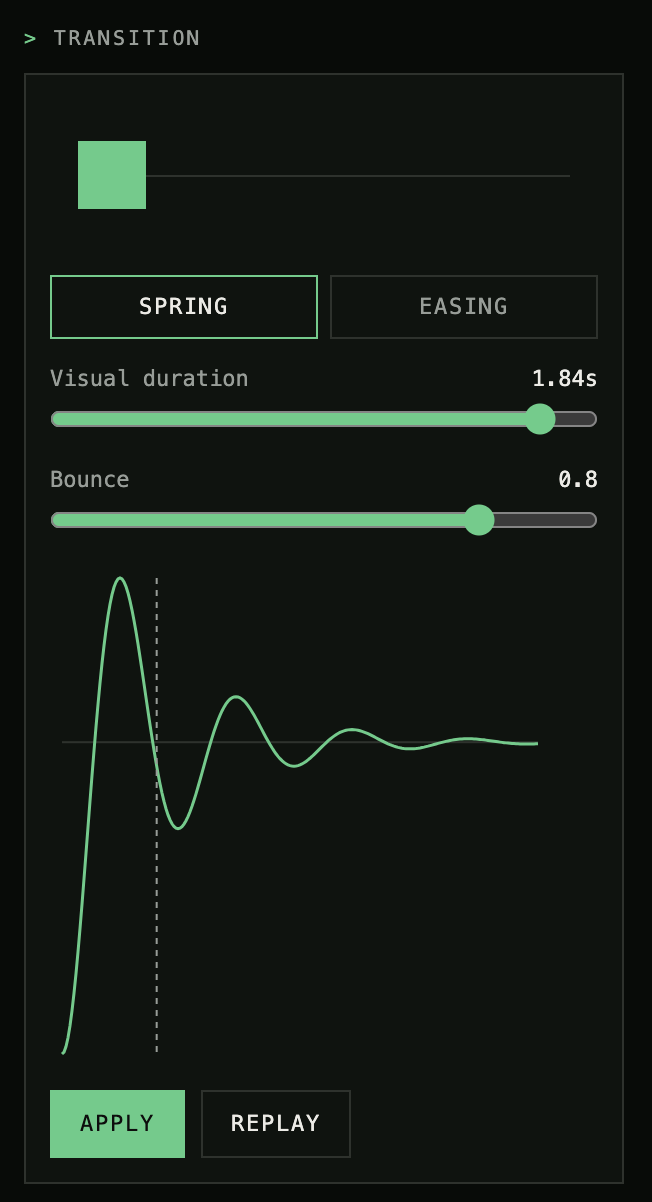
Edit CSS and Motion transitions using the real-time visual controls with the Motion Studio extension, available for Cursor and VS Code.
Real-time updates: Your code is instantly updated with AST-powered edits.
CSS & Motion: Animate with either (or both!)
Cloud saves: Like a transition? Save it to reuse later.
Share transitions: Saved transitions appear on your Motion+ profile for others to download.
Edit
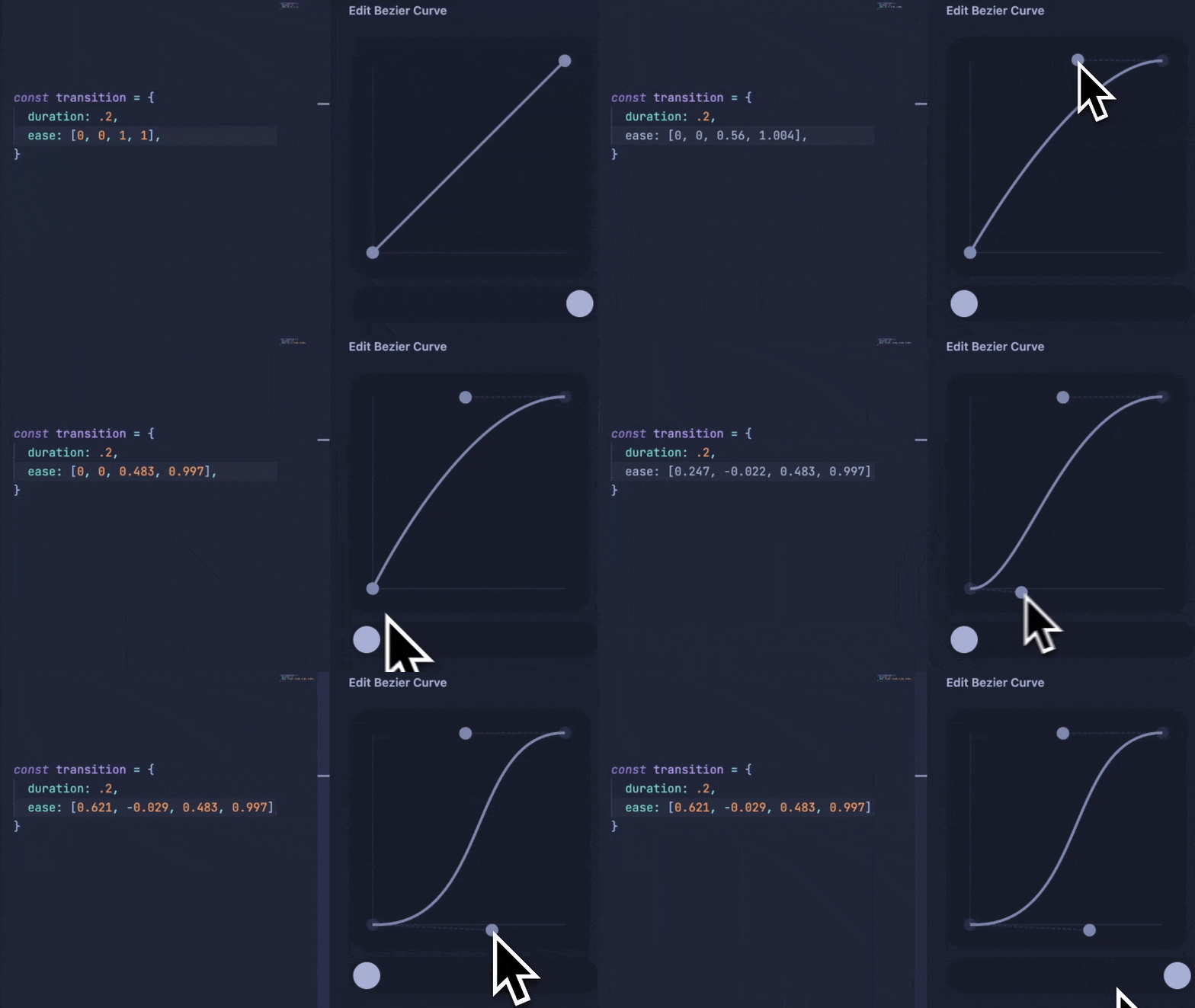
Open the Motion panel and highlight any Motion or CSS animation or transition to open the edit controls.
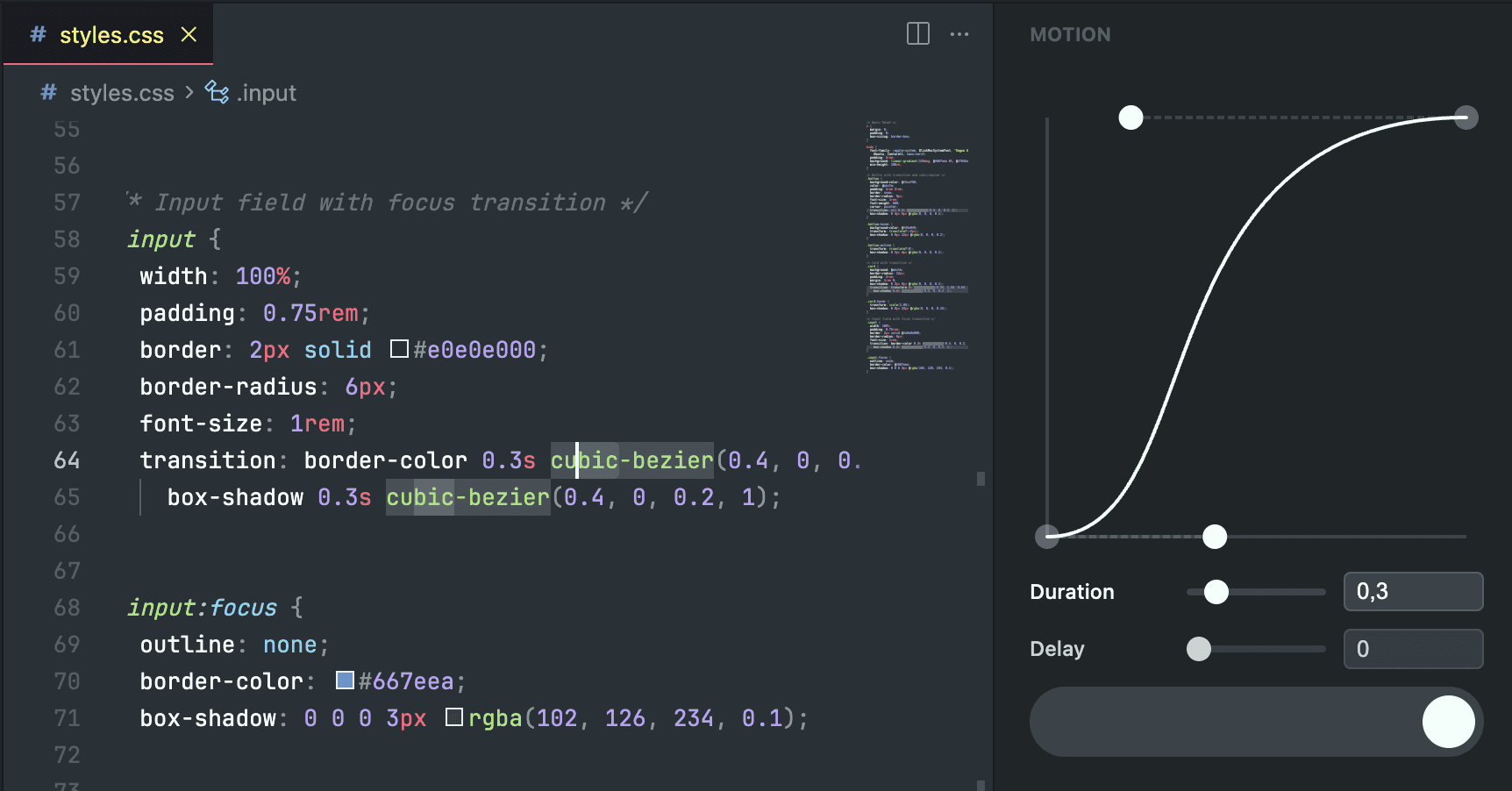
Every change updates your code instantly via AST-powered edits, so there's no copy-pasting or manual syncing.
Currently, the edit panels supports duration, delay and easing curves, with spring support coming soon.
Edits made to your code will preserve most formatting and respect overrides like transition-delay.
Named easing
Visual editing supports some named easing curves in both Motion and CSS, currently those that can be mapped to bezier curves:
linear
easeIn/Out/InOut
Multiple transitions
By selecting multiple transitions, they can be edited simultaneously.
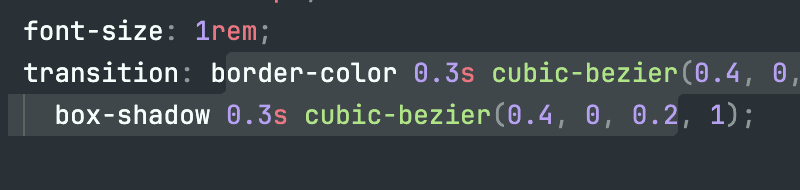
The values from the first transition will be visible in the UI, and changes will overwrite values in all selected transitions.
Save
Once you've dialled in the perfect transition, it can be saved to your profile.
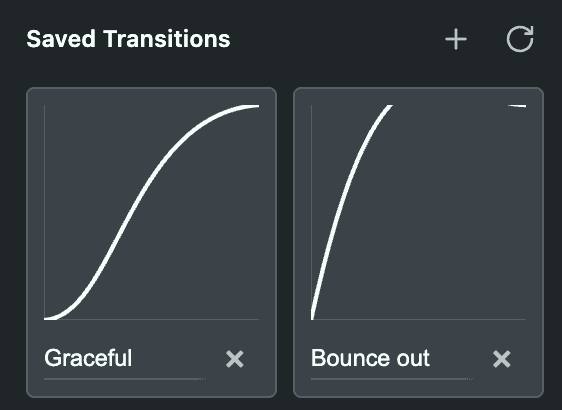
Once saved, you can click on the name to edit it. Or, click on the transition curve to apply a saved transition to your selected code.
Saved transitions also work with the Motion Studio MCP, so you can prompt your AI to use them directly: "apply my 'snappy' spring to this modal."
Share
Every saved transition appears on your public Motion+ profile (if you have one). Other developers can browse your transitions, preview them, and save them to their own profiles.
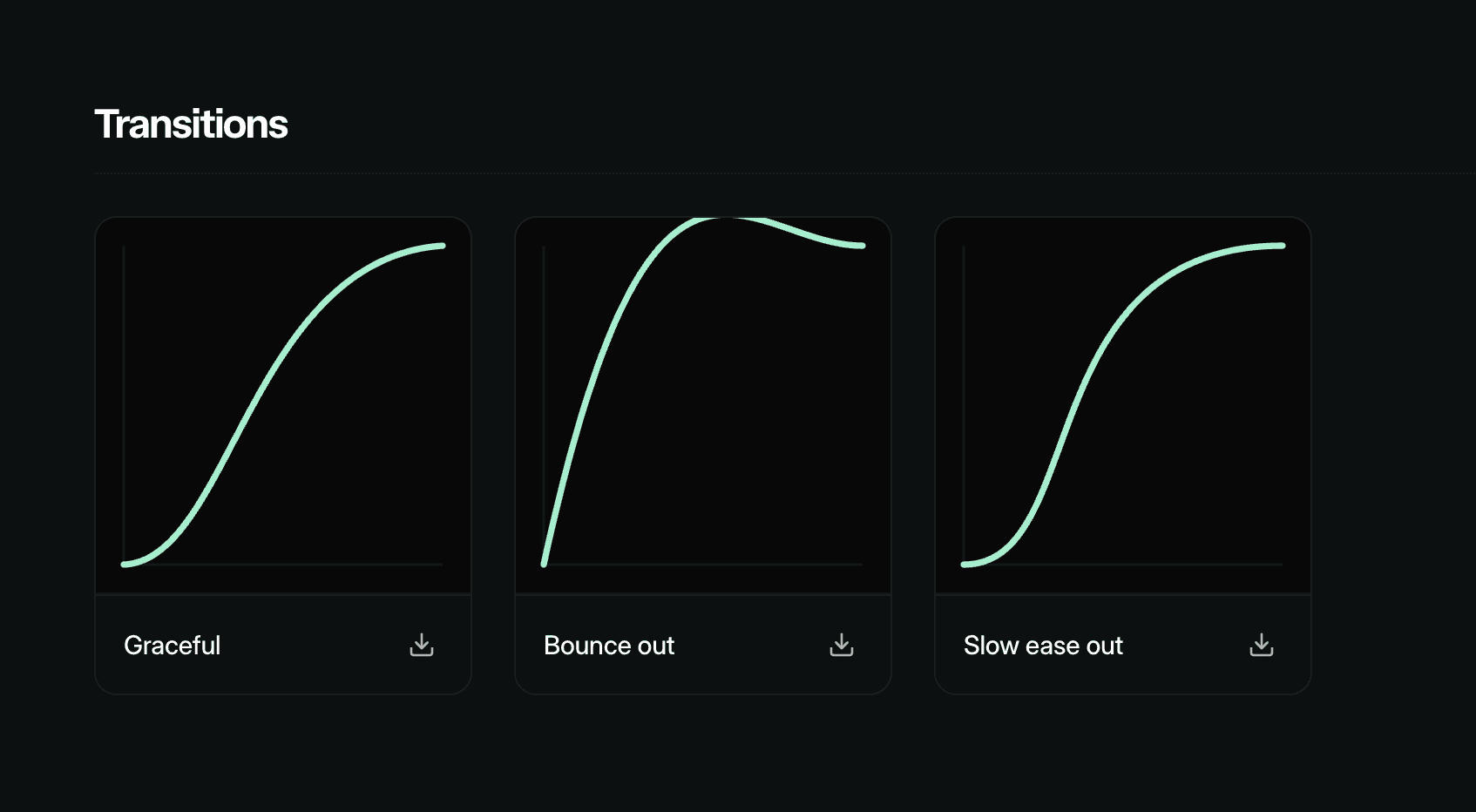
It's an easy way to share your animation style with your team, or just show off.
Get Motion Studio
Stop guessing at spring values, or copy-pasting bezier curves from the web. Motion Studio is included with Motion+, along with a library of premium Motion APIs, 330+ examples, 100+ tutorials, private Discord access and early access to all new Motion APIs.
Edit CSS and Motion transitions using the real-time visual controls with the Motion Studio extension, available for Cursor and VS Code.
Real-time updates: Your code is instantly updated with AST-powered edits.
CSS & Motion: Animate with either (or both!)
Cloud saves: Like a transition? Save it to reuse later.
Share transitions: Saved transitions appear on your Motion+ profile for others to download.

Edit
Open the Motion panel and highlight any Motion or CSS animation or transition to open the edit controls.

Every change updates your code instantly via AST-powered edits, so there's no copy-pasting or manual syncing.
Currently, the edit panels supports duration, delay and easing curves, with spring support coming soon.
Edits made to your code will preserve most formatting and respect overrides like transition-delay.
Named easing
Visual editing supports some named easing curves in both Motion and CSS, currently those that can be mapped to bezier curves:
linear
easeIn/Out/InOut
Multiple transitions
By selecting multiple transitions, they can be edited simultaneously.

The values from the first transition will be visible in the UI, and changes will overwrite values in all selected transitions.
Save
Once you've dialled in the perfect transition, it can be saved to your profile.

Once saved, you can click on the name to edit it. Or, click on the transition curve to apply a saved transition to your selected code.
Saved transitions also work with the Motion Studio MCP, so you can prompt your AI to use them directly: "apply my 'snappy' spring to this modal."
Share
Every saved transition appears on your public Motion+ profile (if you have one). Other developers can browse your transitions, preview them, and save them to their own profiles.

It's an easy way to share your animation style with your team, or just show off.
Get Motion Studio
Stop guessing at spring values, or copy-pasting bezier curves from the web. Motion Studio is included with Motion+, along with a library of premium Motion APIs, 330+ examples, 100+ tutorials, private Discord access and early access to all new Motion APIs.
Edit CSS and Motion transitions using the real-time visual controls with the Motion Studio extension, available for Cursor and VS Code.
Real-time updates: Your code is instantly updated with AST-powered edits.
CSS & Motion: Animate with either (or both!)
Cloud saves: Like a transition? Save it to reuse later.
Share transitions: Saved transitions appear on your Motion+ profile for others to download.

Edit
Open the Motion panel and highlight any Motion or CSS animation or transition to open the edit controls.

Every change updates your code instantly via AST-powered edits, so there's no copy-pasting or manual syncing.
Currently, the edit panels supports duration, delay and easing curves, with spring support coming soon.
Edits made to your code will preserve most formatting and respect overrides like transition-delay.
Named easing
Visual editing supports some named easing curves in both Motion and CSS, currently those that can be mapped to bezier curves:
linear
easeIn/Out/InOut
Multiple transitions
By selecting multiple transitions, they can be edited simultaneously.

The values from the first transition will be visible in the UI, and changes will overwrite values in all selected transitions.
Save
Once you've dialled in the perfect transition, it can be saved to your profile.

Once saved, you can click on the name to edit it. Or, click on the transition curve to apply a saved transition to your selected code.
Saved transitions also work with the Motion Studio MCP, so you can prompt your AI to use them directly: "apply my 'snappy' spring to this modal."
Share
Every saved transition appears on your public Motion+ profile (if you have one). Other developers can browse your transitions, preview them, and save them to their own profiles.

It's an easy way to share your animation style with your team, or just show off.
Get Motion Studio
Stop guessing at spring values, or copy-pasting bezier curves from the web. Motion Studio is included with Motion+, along with a library of premium Motion APIs, 330+ examples, 100+ tutorials, private Discord access and early access to all new Motion APIs.