AI Kit
This feature is available with Motion+
The Motion+ AI Kit is a set of AI skills and tools that turn your LLM into an animation expert:
Motion best practises
Animation performance auditing
CSS spring generation
Transition visualisation
Documentation search
The AI Kit is available to all Motion+ members. It's also available for purchase as a lower-priced standalone purchase than the full Motion+ package.
Skills
Motion expert
The /motion skill gives your AI assistant deep knowledge of the Motion API across all platforms: vanilla JavaScript, React, and Vue.
It automatically detects which platform you're using and provides guidance specific to that framework. This includes correct import patterns, performance best practices like when to use transform vs independent transforms, spring physics recommendations, will-change usage, and motion value patterns.
It also detects whether you're using Radix or Base UI and additionally provides integration best practises, and can use the Motion MCP to search the full and latest Motion documentation. No more hallucinated import paths or APIs!
Performance audit
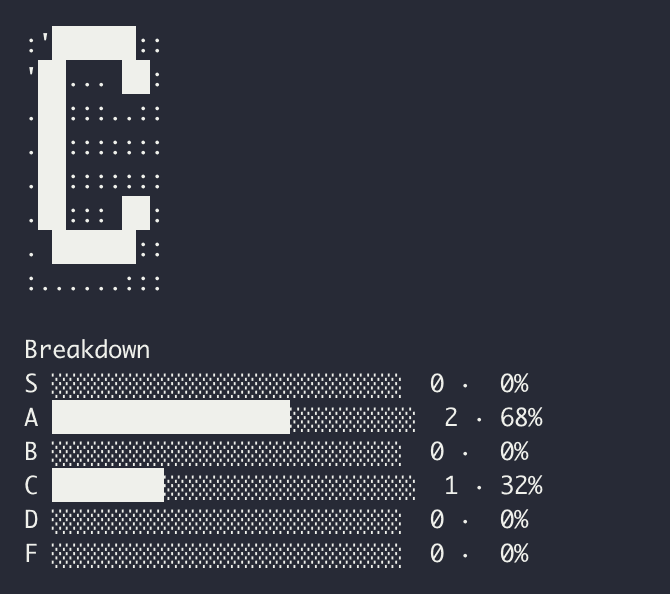
The /motion-audit skill scans every Motion and CSS animation in your codebase, classifies each by render pipeline cost from S-tier (compositor only) to F-tier (layout thrashing), and generates a full report with scorecard, findings, and specific fixes.
## Breakdown S █████████████████░░░░░░░░░ 2 · 68% A ░░░░░░░░░░░░░░░░░░░░░░░░░░ 0 · 0% B ░░░░░░░░░░░░░░░░░░░░░░░░░░ 0 · 0% C ████████░░░░░░░░░░░░░░░░░░ 1 · 32% D ░░░░░░░░░░░░░░░░░░░░░░░░░░ 0 · 0% F ░░░░░░░░░░░░░░░░░░░░░░░░░░ 0 · 0
Run it against a specific animation, component, or your whole codebase. Then have your LLM implement the recommended fixes immediately.
In a future update, the performance audit skill will also be able to perform runtime audits using MotionScore.
Learn more about the animation performance audit skill.
Generate CSS springs
Thanks to the new linear() easing in CSS, it's possible to run spring animations using CSS alone. However, linear() easing curves usually look like this:
linear( 0, 0.009, 0.035 2.1%, 0.141, 0.281 6.7%, 0.723 12.9%, 0.938 16.7%, 1.017, 1.077, 1.121, 1.149 24.3%, 1.159, 1.163, 1.161, 1.154 29.9%, 1.129 32.8%, 1.051 39.6%, 1.017 43.1%, 0.991, 0.977 51%, 0.974 53.8%, 0.975 57.1%, 0.997 69.8%, 1.003 76.9%, 1.004 83.8%, 1 )
By using the /css-spring skill, you can use natural language to describe a spring:
/css-spring generate a bouncy spring
And your LLM will use Motion's real spring function to generate a linear() easing string at the exact correct resolution for the animation's duration.
Learn more about the CSS generation skill.
Transition visualiser
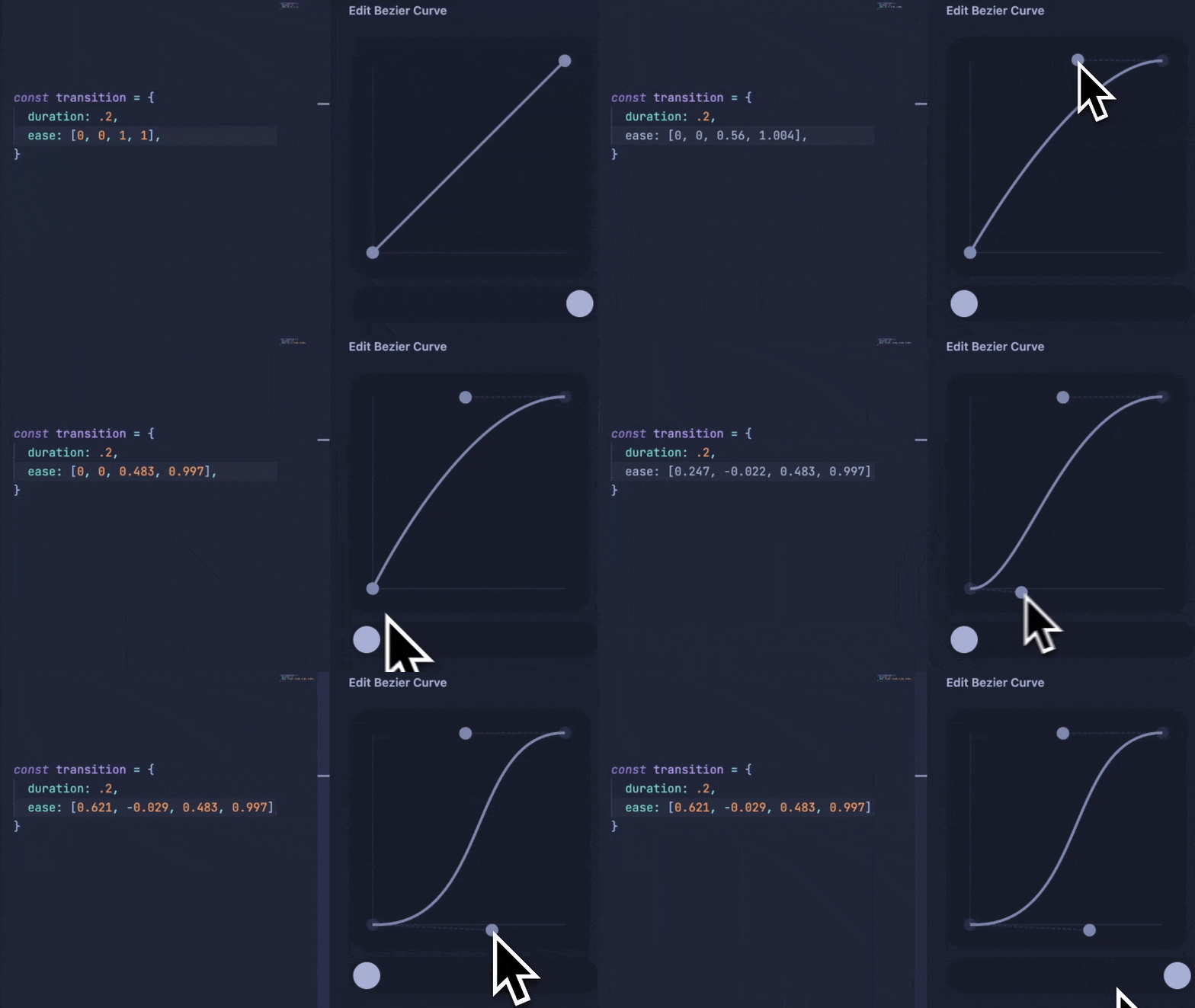
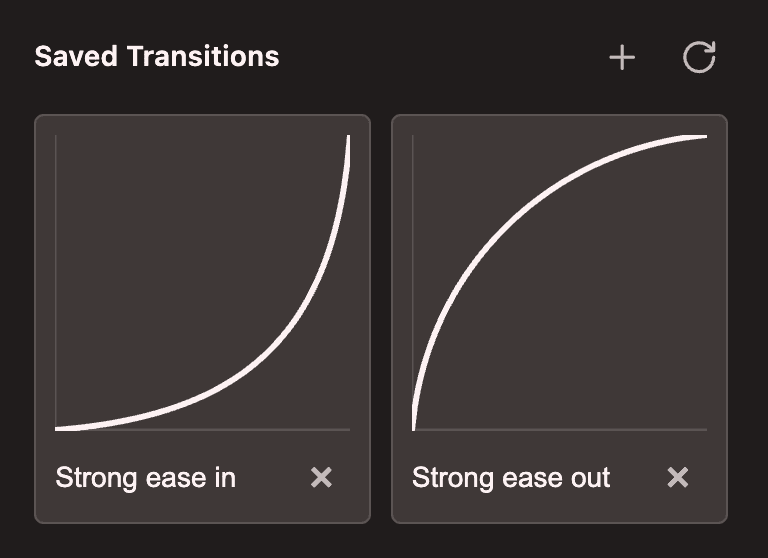
The /see-transition skill can be used to let your vision-capable LLM to better understand the easing curves and spring settings in your animations.

Documentation search
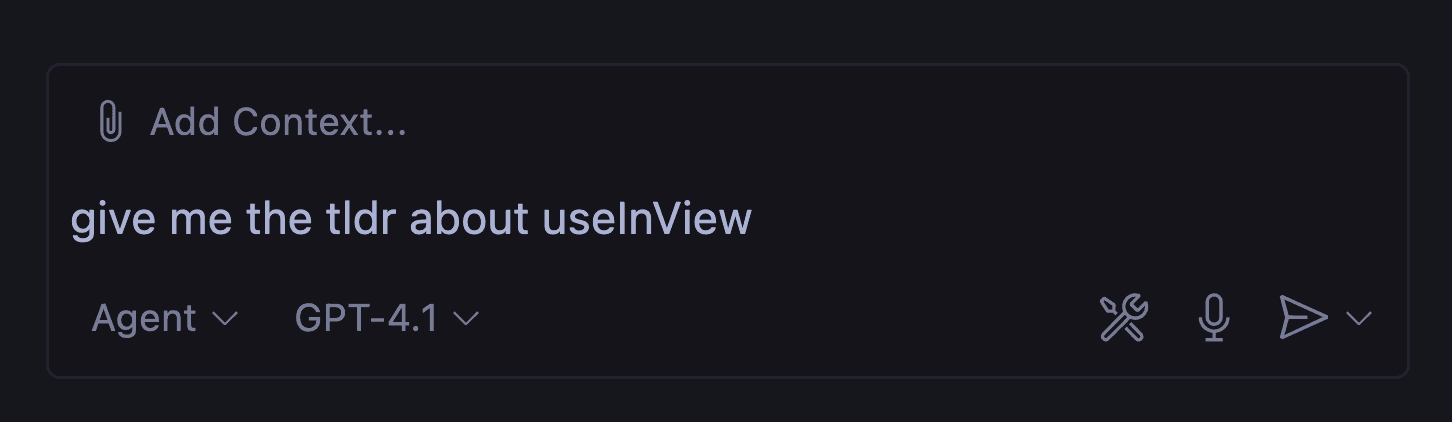
The Motion MCP comes with a search tool that can connect your AI editor to the full, and latest, Motion documentation. You can ask questions about Motion or use this to improve the quality of your generated code.

This runs automatically whenever your AI assistant needs to reference Motion APIs, so you always get answers based on the latest documentation rather than the model's out-of-date training data.
Install
First, generate a personal token via the Motion+ dashboard.
Then, run the following command in your terminal:
curl -sL "https://api.motion.dev/registry/skills/motion-ai-kit?token=YOUR_TOKEN" -o /tmp/ai-kit.sh && bash
This script will let you choose which skills to install:

The install script supports:
Cursor
Claude Code
Windsurf
Amp
OpenCode
Gemini CLI
VS Code
Many skills utilise the Motion MCP. This will be automatically installed in future versions, but for now must be installed separately.
The Motion+ AI Kit is a set of AI skills and tools that turn your LLM into an animation expert:
Motion best practises
Animation performance auditing
CSS spring generation
Transition visualisation
Documentation search
The AI Kit is available to all Motion+ members. It's also available for purchase as a lower-priced standalone purchase than the full Motion+ package.
Skills
Motion expert
The /motion skill gives your AI assistant deep knowledge of the Motion API across all platforms: vanilla JavaScript, React, and Vue.
It automatically detects which platform you're using and provides guidance specific to that framework. This includes correct import patterns, performance best practices like when to use transform vs independent transforms, spring physics recommendations, will-change usage, and motion value patterns.
It also detects whether you're using Radix or Base UI and additionally provides integration best practises, and can use the Motion MCP to search the full and latest Motion documentation. No more hallucinated import paths or APIs!
Performance audit
The /motion-audit skill scans every Motion and CSS animation in your codebase, classifies each by render pipeline cost from S-tier (compositor only) to F-tier (layout thrashing), and generates a full report with scorecard, findings, and specific fixes.
## Breakdown S █████████████████░░░░░░░░░ 2 · 68% A ░░░░░░░░░░░░░░░░░░░░░░░░░░ 0 · 0% B ░░░░░░░░░░░░░░░░░░░░░░░░░░ 0 · 0% C ████████░░░░░░░░░░░░░░░░░░ 1 · 32% D ░░░░░░░░░░░░░░░░░░░░░░░░░░ 0 · 0% F ░░░░░░░░░░░░░░░░░░░░░░░░░░ 0 · 0
Run it against a specific animation, component, or your whole codebase. Then have your LLM implement the recommended fixes immediately.
In a future update, the performance audit skill will also be able to perform runtime audits using MotionScore.
Learn more about the animation performance audit skill.
Generate CSS springs
Thanks to the new linear() easing in CSS, it's possible to run spring animations using CSS alone. However, linear() easing curves usually look like this:
linear( 0, 0.009, 0.035 2.1%, 0.141, 0.281 6.7%, 0.723 12.9%, 0.938 16.7%, 1.017, 1.077, 1.121, 1.149 24.3%, 1.159, 1.163, 1.161, 1.154 29.9%, 1.129 32.8%, 1.051 39.6%, 1.017 43.1%, 0.991, 0.977 51%, 0.974 53.8%, 0.975 57.1%, 0.997 69.8%, 1.003 76.9%, 1.004 83.8%, 1 )
By using the /css-spring skill, you can use natural language to describe a spring:
/css-spring generate a bouncy spring
And your LLM will use Motion's real spring function to generate a linear() easing string at the exact correct resolution for the animation's duration.
Learn more about the CSS generation skill.
Transition visualiser
The /see-transition skill can be used to let your vision-capable LLM to better understand the easing curves and spring settings in your animations.

Documentation search
The Motion MCP comes with a search tool that can connect your AI editor to the full, and latest, Motion documentation. You can ask questions about Motion or use this to improve the quality of your generated code.

This runs automatically whenever your AI assistant needs to reference Motion APIs, so you always get answers based on the latest documentation rather than the model's out-of-date training data.
Install
First, generate a personal token via the Motion+ dashboard.
Then, run the following command in your terminal:
curl -sL "https://api.motion.dev/registry/skills/motion-ai-kit?token=YOUR_TOKEN" -o /tmp/ai-kit.sh && bash
This script will let you choose which skills to install:

The install script supports:
Cursor
Claude Code
Windsurf
Amp
OpenCode
Gemini CLI
VS Code
Many skills utilise the Motion MCP. This will be automatically installed in future versions, but for now must be installed separately.
The Motion+ AI Kit is a set of AI skills and tools that turn your LLM into an animation expert:
Motion best practises
Animation performance auditing
CSS spring generation
Transition visualisation
Documentation search
The AI Kit is available to all Motion+ members. It's also available for purchase as a lower-priced standalone purchase than the full Motion+ package.
Skills
Motion expert
The /motion skill gives your AI assistant deep knowledge of the Motion API across all platforms: vanilla JavaScript, React, and Vue.
It automatically detects which platform you're using and provides guidance specific to that framework. This includes correct import patterns, performance best practices like when to use transform vs independent transforms, spring physics recommendations, will-change usage, and motion value patterns.
It also detects whether you're using Radix or Base UI and additionally provides integration best practises, and can use the Motion MCP to search the full and latest Motion documentation. No more hallucinated import paths or APIs!
Performance audit
The /motion-audit skill scans every Motion and CSS animation in your codebase, classifies each by render pipeline cost from S-tier (compositor only) to F-tier (layout thrashing), and generates a full report with scorecard, findings, and specific fixes.
## Breakdown S █████████████████░░░░░░░░░ 2 · 68% A ░░░░░░░░░░░░░░░░░░░░░░░░░░ 0 · 0% B ░░░░░░░░░░░░░░░░░░░░░░░░░░ 0 · 0% C ████████░░░░░░░░░░░░░░░░░░ 1 · 32% D ░░░░░░░░░░░░░░░░░░░░░░░░░░ 0 · 0% F ░░░░░░░░░░░░░░░░░░░░░░░░░░ 0 · 0
Run it against a specific animation, component, or your whole codebase. Then have your LLM implement the recommended fixes immediately.
In a future update, the performance audit skill will also be able to perform runtime audits using MotionScore.
Learn more about the animation performance audit skill.
Generate CSS springs
Thanks to the new linear() easing in CSS, it's possible to run spring animations using CSS alone. However, linear() easing curves usually look like this:
linear( 0, 0.009, 0.035 2.1%, 0.141, 0.281 6.7%, 0.723 12.9%, 0.938 16.7%, 1.017, 1.077, 1.121, 1.149 24.3%, 1.159, 1.163, 1.161, 1.154 29.9%, 1.129 32.8%, 1.051 39.6%, 1.017 43.1%, 0.991, 0.977 51%, 0.974 53.8%, 0.975 57.1%, 0.997 69.8%, 1.003 76.9%, 1.004 83.8%, 1 )
By using the /css-spring skill, you can use natural language to describe a spring:
/css-spring generate a bouncy spring
And your LLM will use Motion's real spring function to generate a linear() easing string at the exact correct resolution for the animation's duration.
Learn more about the CSS generation skill.
Transition visualiser
The /see-transition skill can be used to let your vision-capable LLM to better understand the easing curves and spring settings in your animations.

Documentation search
The Motion MCP comes with a search tool that can connect your AI editor to the full, and latest, Motion documentation. You can ask questions about Motion or use this to improve the quality of your generated code.

This runs automatically whenever your AI assistant needs to reference Motion APIs, so you always get answers based on the latest documentation rather than the model's out-of-date training data.
Install
First, generate a personal token via the Motion+ dashboard.
Then, run the following command in your terminal:
curl -sL "https://api.motion.dev/registry/skills/motion-ai-kit?token=YOUR_TOKEN" -o /tmp/ai-kit.sh && bash
This script will let you choose which skills to install:

The install script supports:
Cursor
Claude Code
Windsurf
Amp
OpenCode
Gemini CLI
VS Code
Many skills utilise the Motion MCP. This will be automatically installed in future versions, but for now must be installed separately.