<nav class="lenis-nav">
  <button data-target="#lenis-1">01</button>
  <button data-target="#lenis-2">02</button>
  <button data-target="#lenis-3">03</button>
  <button data-target="#lenis-4">04</button>
  <button data-target="#lenis-5">05</button>
</nav>
<section id="lenis-1" class="lenis-section">
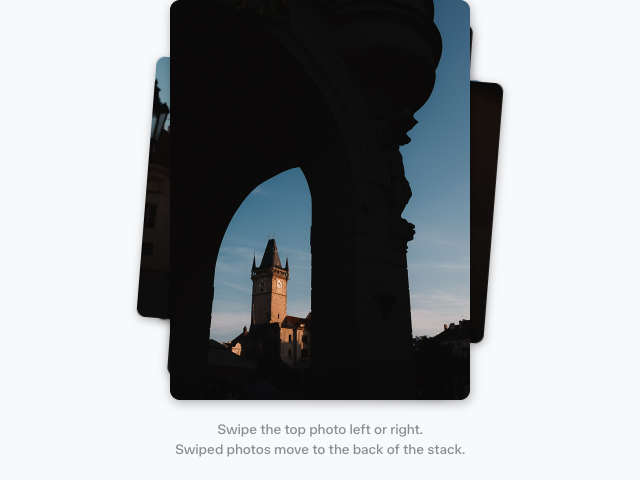
  <div><img src="/photos/cityscape/1.jpg" alt="" /></div>
  <h2>#001</h2>
</section>
<section id="lenis-2" class="lenis-section">
  <div><img src="/photos/cityscape/2.jpg" alt="" /></div>
  <h2>#002</h2>
</section>
<section id="lenis-3" class="lenis-section">
  <div><img src="/photos/cityscape/3.jpg" alt="" /></div>
  <h2>#003</h2>
</section>
<section id="lenis-4" class="lenis-section">
  <div><img src="/photos/cityscape/4.jpg" alt="" /></div>
  <h2>#004</h2>
</section>
<section id="lenis-5" class="lenis-section">
  <div><img src="/photos/cityscape/5.jpg" alt="" /></div>
  <h2>#005</h2>
</section>
<div class="lenis-progress"></div>
<output class="lenis-readout">0%</output>

<script type="module">
  import Lenis from "lenis"
  import { animate, scroll, frame, easeInOut } from "motion"

  // Lenis smooths the scroll. Motion's frame loop drives it.
  const lenis = new Lenis({ autoRaf: false })

  // "setup" runs before Motion measures scroll in "read", so scroll()
  // sees the scroll position Lenis writes in the same frame.
  frame.setup(({ timestamp }) => lenis.raf(timestamp), true)

  // Progress bar: hardware accelerated with ScrollTimeline where supported
  scroll(
    animate(
      ".lenis-progress",
      { transform: ["scaleX(0)", "scaleX(1)"] },
      { ease: "linear" }
    )
  )

  // Parallax headers
  document.querySelectorAll(".lenis-section").forEach((section) => {
    scroll(
      animate(
        section.querySelector("h2"),
        { transform: ["translateY(-300px)", "translateY(300px)"] },
        { ease: "linear" }
      ),
      // From when the section enters the viewport until it leaves
      { target: section, offset: ["start end", "end start"] }
    )
  })

  // Scroll callbacks run on the main thread, in step with Lenis
  const readout = document.querySelector(".lenis-readout")
  scroll((progress) => {
    readout.textContent = Math.round(progress * 100) + "%"
  })

  // Smooth scroll to a section with a Motion easing function
  document.querySelectorAll(".lenis-nav button").forEach((button) => {
    button.addEventListener("click", () => {
      lenis.scrollTo(button.dataset.target, {
        duration: 1.6,
        easing: easeInOut,
      })
    })
  })
</script>

<style>
  /* Recommended rules from lenis/dist/lenis.css */
  html.lenis,
  html.lenis body {
    height: auto;
  }

  .lenis:not(.lenis-autoToggle).lenis-stopped {
    overflow: clip;
  }

  .lenis.lenis-smooth iframe {
    pointer-events: none;
  }

  .lenis-section {
    height: 100vh;
    display: flex;
    justify-content: center;
    align-items: center;
    position: relative;
  }

  .lenis-section > div {
    width: 300px;
    height: 400px;
    margin: 20px;
    background: var(--white);
    overflow: hidden;
  }

  .lenis-section img {
    width: 300px;
    height: 400px;
    object-fit: cover;
  }

  .lenis-section h2 {
    color: var(--accent);
    margin: 0;
    font-family: "Geist Mono", monospace;
    font-size: 50px;
    font-weight: 700;
    letter-spacing: -3px;
    line-height: 1.2;
    position: absolute;
    top: calc(50% - 25px);
    left: calc(50% + 120px);
  }

  .lenis-nav {
    position: fixed;
    top: 20px;
    left: 50%;
    translate: -50% 0;
    display: flex;
    gap: 4px;
    padding: 4px;
    border-radius: 999px;
    background: var(--layer-transparent);
    border: 1px solid var(--border);
    backdrop-filter: blur(8px);
    z-index: 1;
  }

  .lenis-nav button {
    font-family: "Geist Mono", monospace;
    font-size: 14px;
    padding: 6px 12px;
    border-radius: 999px;
    color: var(--text);
  }

  .lenis-nav button:hover {
    background: var(--accent-transparent);
    color: var(--accent);
  }

  .lenis-progress {
    position: fixed;
    left: 0;
    right: 0;
    height: 5px;
    background: var(--accent);
    bottom: 50px;
    transform: scaleX(0);
    transform-origin: 0 50%;
  }

  .lenis-readout {
    position: fixed;
    right: 20px;
    bottom: 70px;
    font-family: "Geist Mono", monospace;
    font-size: 14px;
    color: var(--feint-text);
    font-variant-numeric: tabular-nums;
  }
</style>

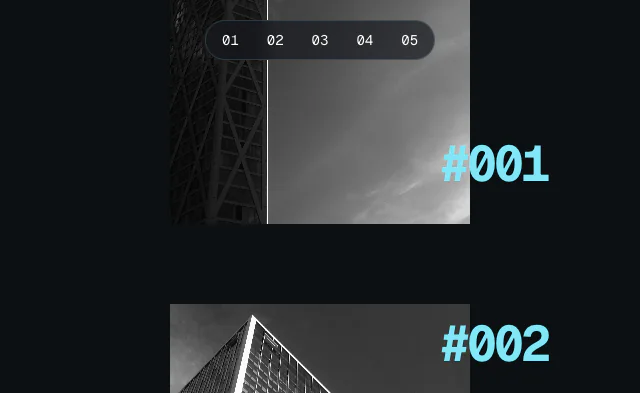 Lenis smooth scroll
 Particle orb
 Svelte: Scroll progress