How To: Hardware-accelerate your favourite GSAP easing functions
The Web Animations API is included with every browser, but only supports CSS timing functions. Let's supercharge it with GSAP's easing functions!

The Web Animations API (WAAPI) is an animation API that's available in every browser.
WAAPI's most interesting feature for developers is that it lets us animate values like transform and opacity completely off the main JavaScript thread. This means that when a user's CPU is busy with work, animations remain smooth.
The downside is that, out of the box, it's missing many features that users of JavaScript animation libraries take for granted. Think interruption, default unit types, and most importantly, custom easing curves and spring animations.
Unlike GSAP, with its myriad of easing functions, or Motion, with its dynamic spring animations, WAAPI is limited to its handful of CSS easing functions.
Or is it? In this post we're going to show you how we can add support for these easing functions and springs to WAAPI, thanks to Motion's 2.3kb animate function. We'll also explain a little bit about the magic behind this, the linear() easing function.
animate()
Motion's animate function is built on WAAPI to leverage its hardware accelerated animations, but extends it with a greatly improved developer experience.
Most interestingly for us, it also supports custom easing functions and springs. This means that you can pass regular JavaScript functions:
import { animate } from "motion/mini"

const pow2 = p => p * p

animate(
  ".box",
  { transform: "translateX(100px)" },
  { ease: pow2 }
)
Even though pow2 is a JavaScript function, this animation will run completely on the GPU, off the main thread and free from jank.
GSAP easing functions
GSAP has been knocking around for over a quarter of a century, so many users will be used to its easing functions. The good news is that this method works exactly the same with GSAP.
Basic easings with parseEase
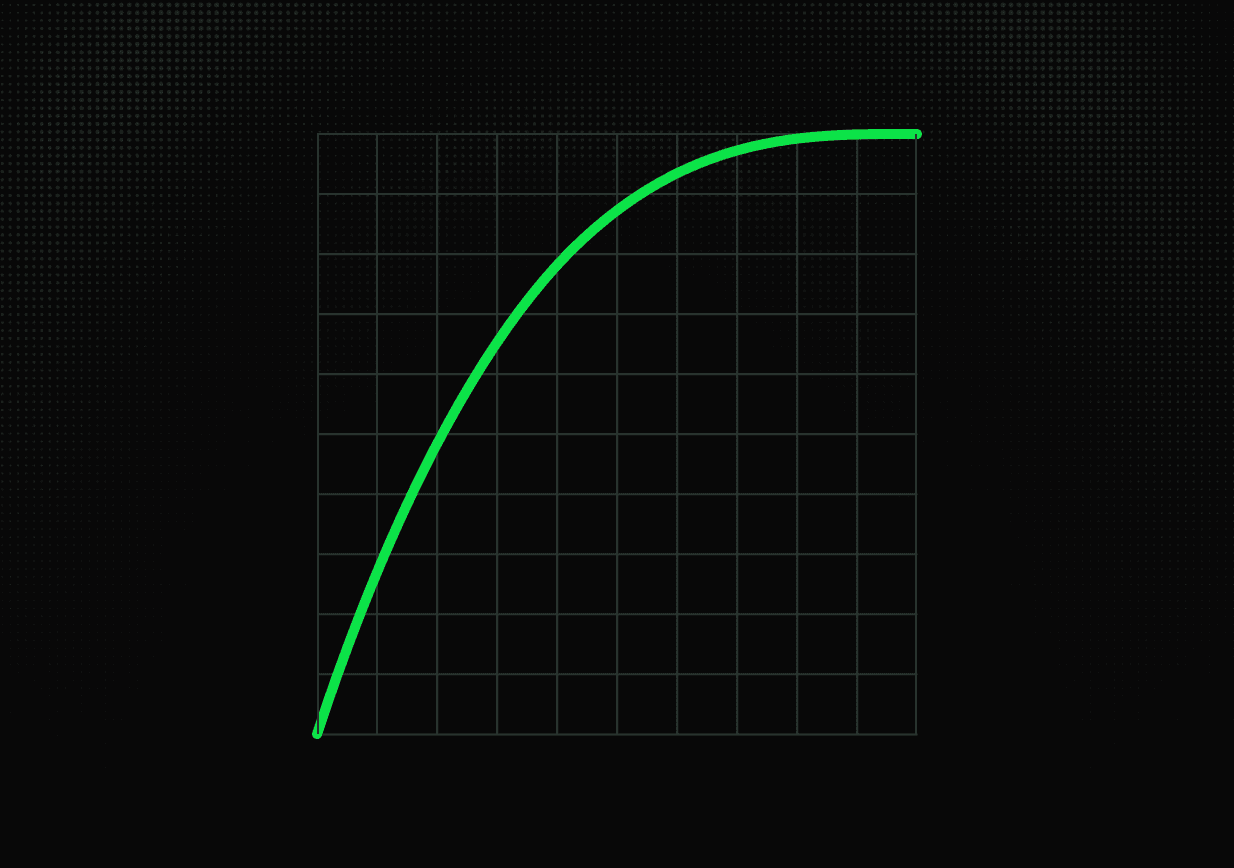
GSAP offers all of its easings via string identifiers like "power2.out". We can access the functions behind these identifiers using parseEase.
import gsap from "gsap"

animate(
  ".box",
  { filter: "blur(10px)" },
  { ease: gsap.parseEase("power2.out") }
)
You can even use easing functions accepting parameters this way:
{ ease: gsap.parseEase("elastic.out(1, 0.3)") }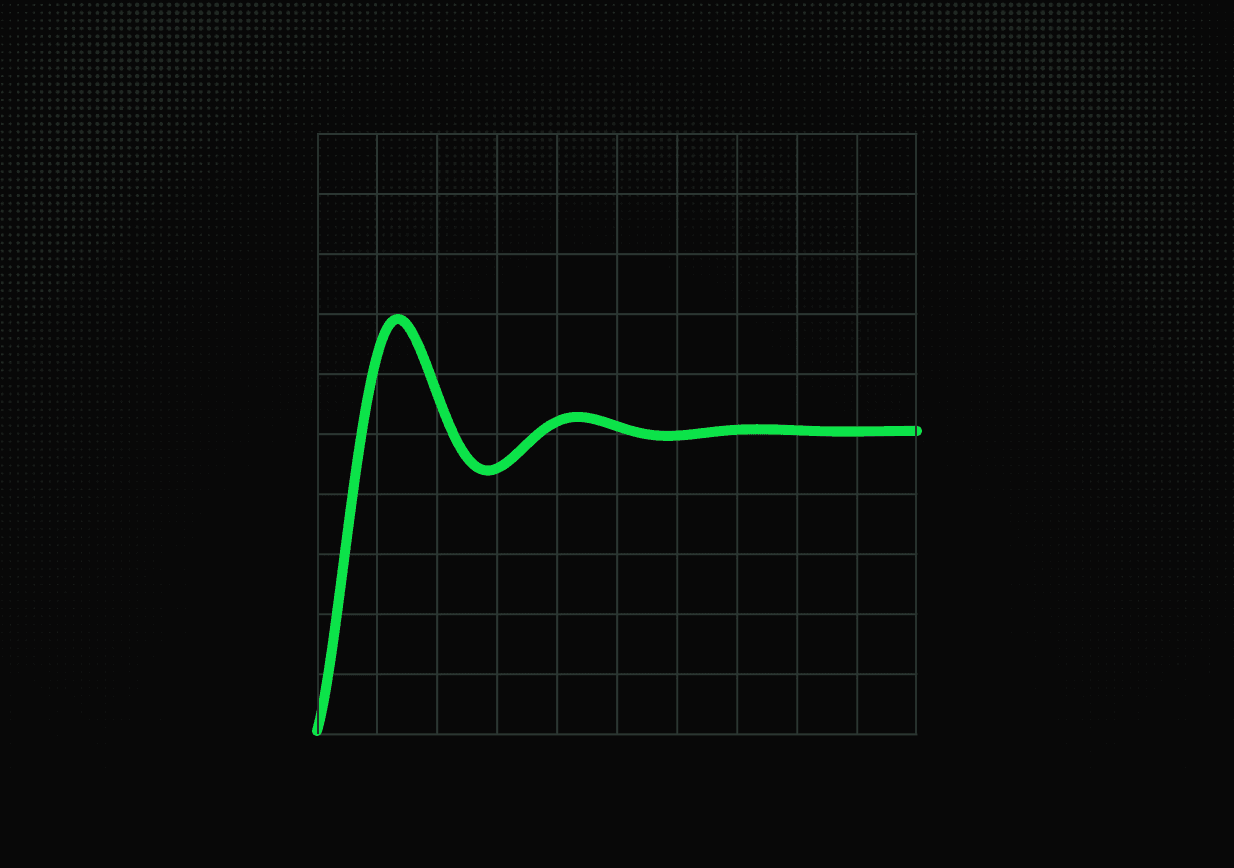
Easing packs
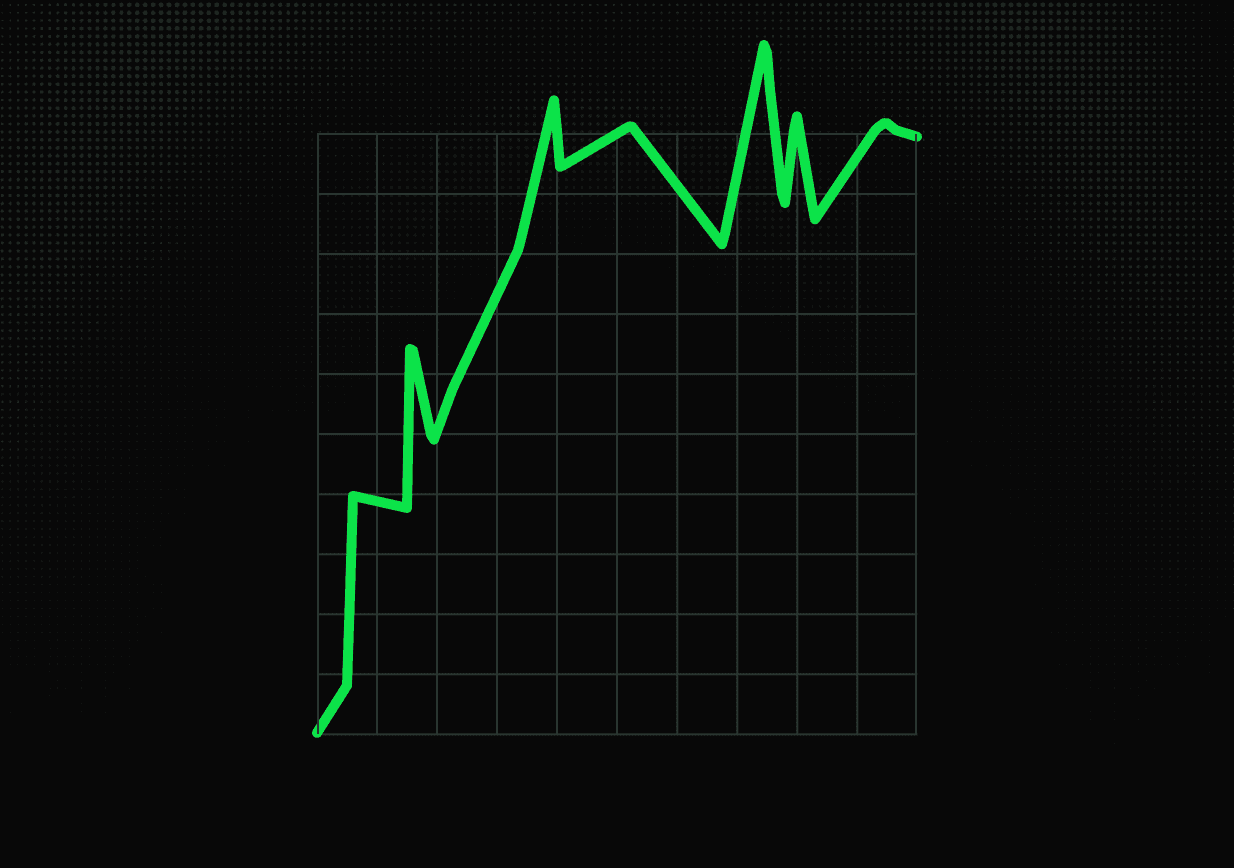
GSAP also offers a number of optional easing functions like rough, which can create jittery and unpredictable motion:
import { RoughEase } from "gsap/EasePack"

const rough = RoughEase.ease.config({
  strength: 2,
  points: 50,
  template: "power2.inOut",
  taper: "both",
  randomize: true,
})

animate(
  "li",
  { transform: "scale(2)" },
  { ease: rough }
)
You can import and use ExpoScaleEase and others from the EasePack in the same way.
Custom easing
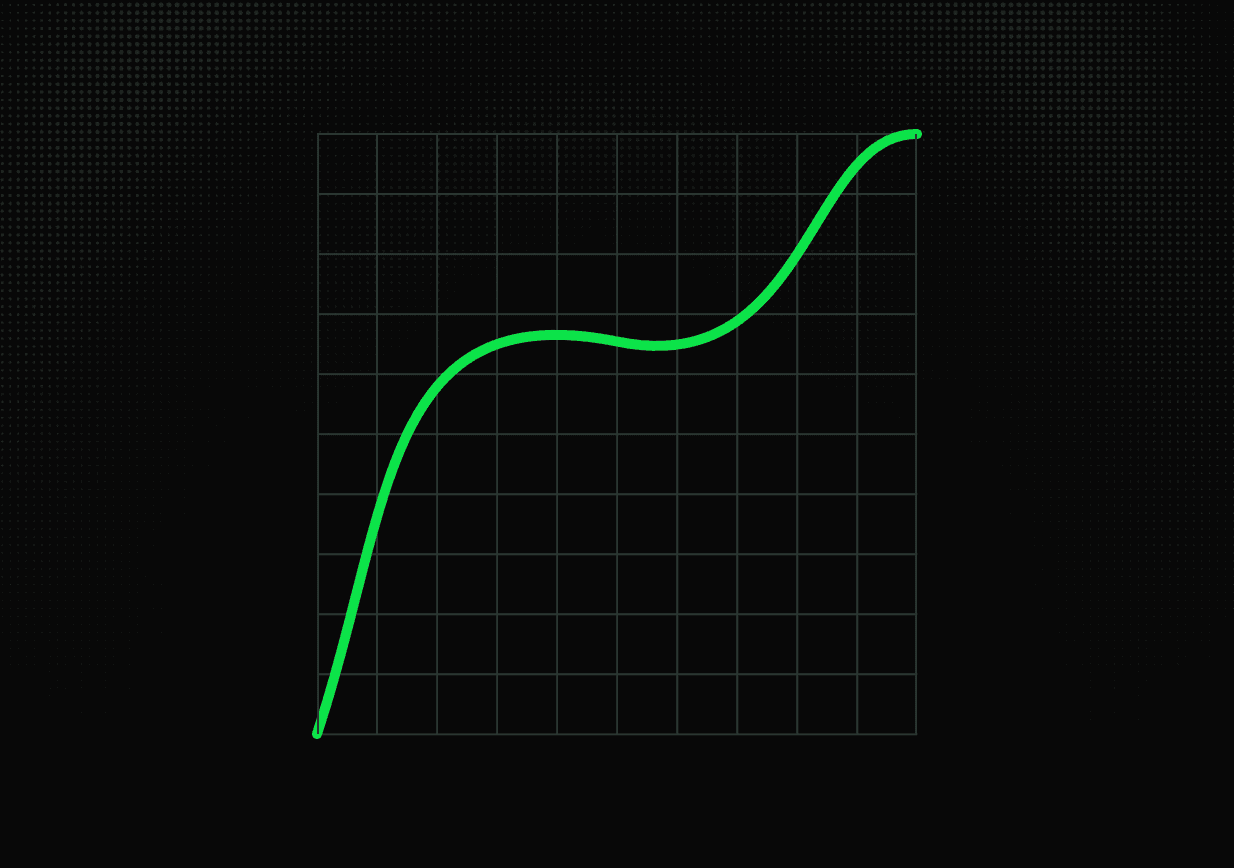
GSAP includes a powerful CustomEase function, which can take any SVG path definition within the 0,0 and 1,1 coordinate space, and turn that into an easing function.
import { CustomEase } from "gsap/CustomEase"

const custom = CustomEase.create(
  "custom",
  "M0,0 C0.126,0.382 0.243,0.633 0.531,0.544 0.911,0.426 0.818,1.001 1,1"
)

animate(
  box,
  { transform: "translateX(50%)" },
  { duration: 2, ease: custom }
)
Bonus: Spring animations
As GSAP is known for its wide selection of easing functions, Motion is known for its spring animations.
While the full 18kb animate() includes these by default, you can also provide spring explicitly to the mini animate() for just a few extra kb.
import { animate } from "motion/mini"
import { spring } from "motion"

animate(
  ".button",
  { transform: "scale(1.2)" },
  { type: spring, duration: 0.4, bounce: 0.2 }
)
How does this work?
These custom easing functions and the spring generator are all JavaScript functions, so how do these off-thread, hardware accelerated animations even work?
Over the last couple years, browsers have added support for the new linear() easing function. linear() can accept a number of points, and interpolate between these points linearly.
For instance, linear(0, 1) is identical to linear - one point at the start, one at the end, and a straight line between them.
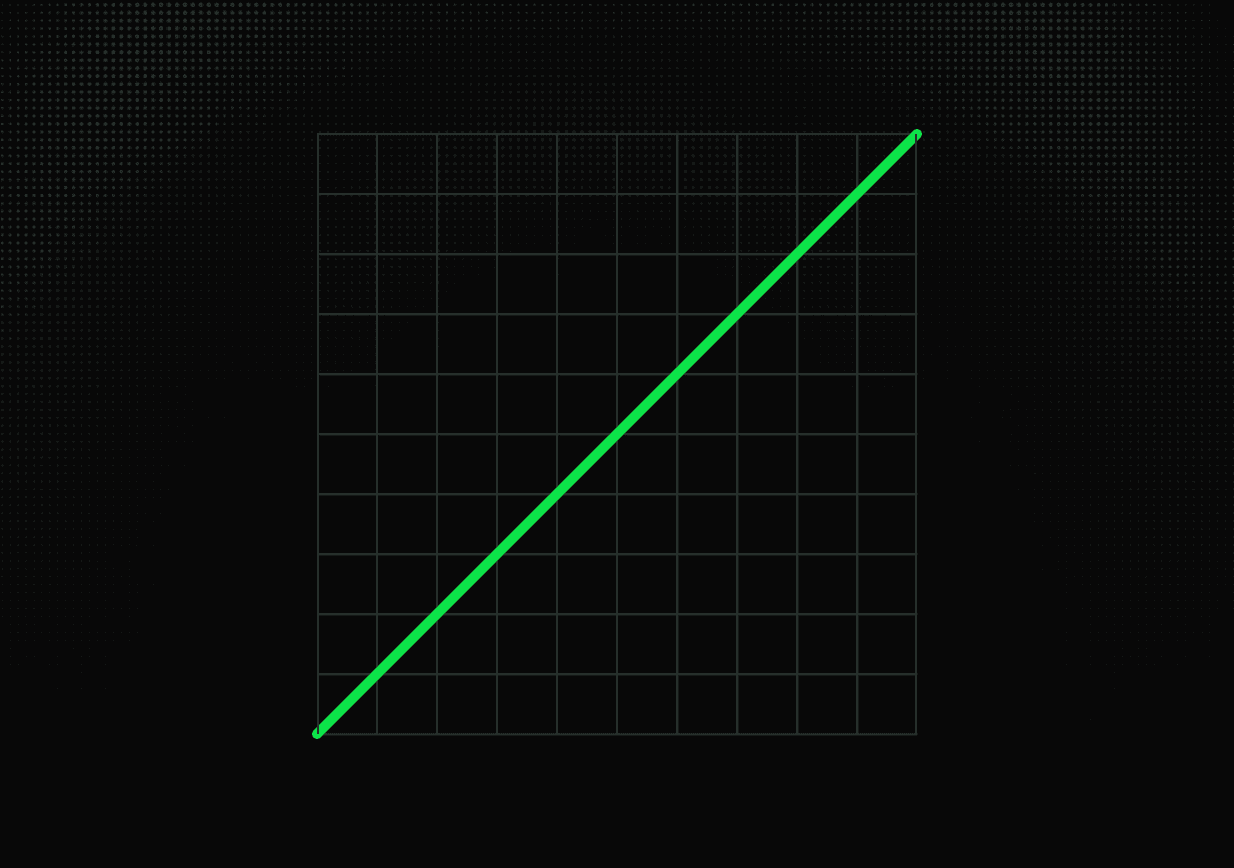
By adding more points, we can add variations in speed. For instance, linear(0, 0.25, 1) looks like this:
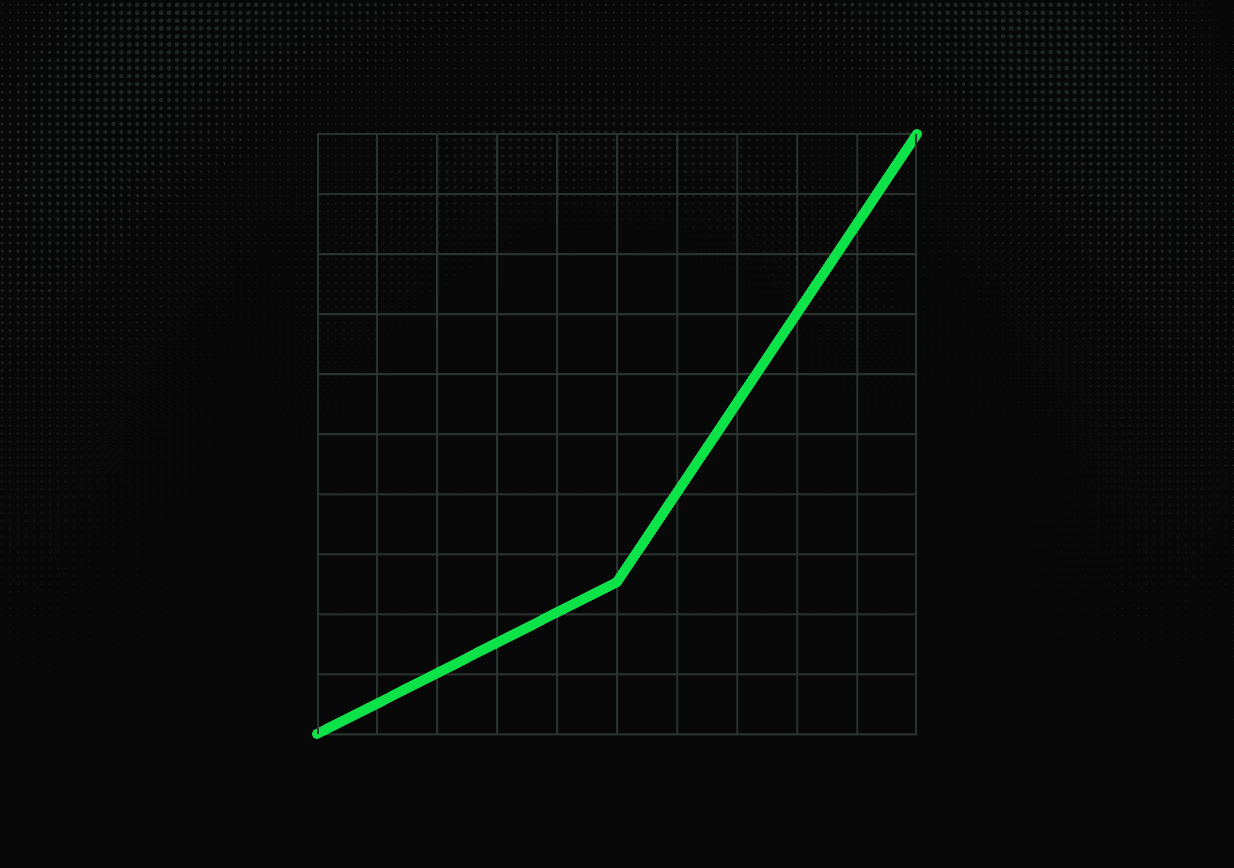
By adding even more points, we can create paths that more closely resemble smooth curves.
linear(0, 0.1307, 0.47, 0.9081, 1.3218, 1.6076, 1.7063, 1.6131, 1.3729, 1.0633, 0.7715, 0.5701, 0.5011, 0.5676, 0.7377, 0.9564, 1.1623, 1.3041, 1.3524, 1.305, 1.1846, 1.03, 0.8847, 0.7849, 0.7511, 0.7849, 0.8701, 0.9793, 1.0819, 1.1522, 1.1758, 1.1517, 1.0914, 1.0142, 0.9418, 0.8923, 0.8758, 0.893, 0.9357, 0.9902, 1.0413, 1.0762, 1.0877, 1.0755, 1.0452, 1.0067, 0.9707, 0.9461, 0.9381, 0.9468, 0.9682, 0.9954, 1.0208, 1.0381, 1.0437, 1.0375, 1.0224, 1.0031, 0.9852, 0.973, 0.9691, 0.9735, 0.9843, 0.9978, 1.0105, 1.0191, 1.0218, 1.0187, 1.0111, 1.0015, 0.9925, 0.9865, 0.9846, 0.9868, 0.9922, 0.999, 1.0053, 1.0095, 1.0109, 1.0093, 1.0055, 1.0007, 0.9962, 0.9932, 0.9923, 0.9935, 0.9961, 0.9995, 1.0027, 1.0048, 1.0054, 1.0046, 1.0027, 1.0003, 0.9981, 0.9966, 1)As you can imagine, a curve like this is impossible to write by hand, which is why we have to generate it in some way.
We can do this in one of two ways. We can pre-build the curve, or we can dynamically generate it. There are two primary benefits of doing the latter.
Developer experience (DX)
linear() has awful DX at every stage of the development lifecycle: Creation, reading, editing.
Pre-building a curve can go some way to improving the creative experience. Some external tools, like Motion's transition editor or linear() generator, will let you generate and then copy/paste a linear() curve directly into your code.
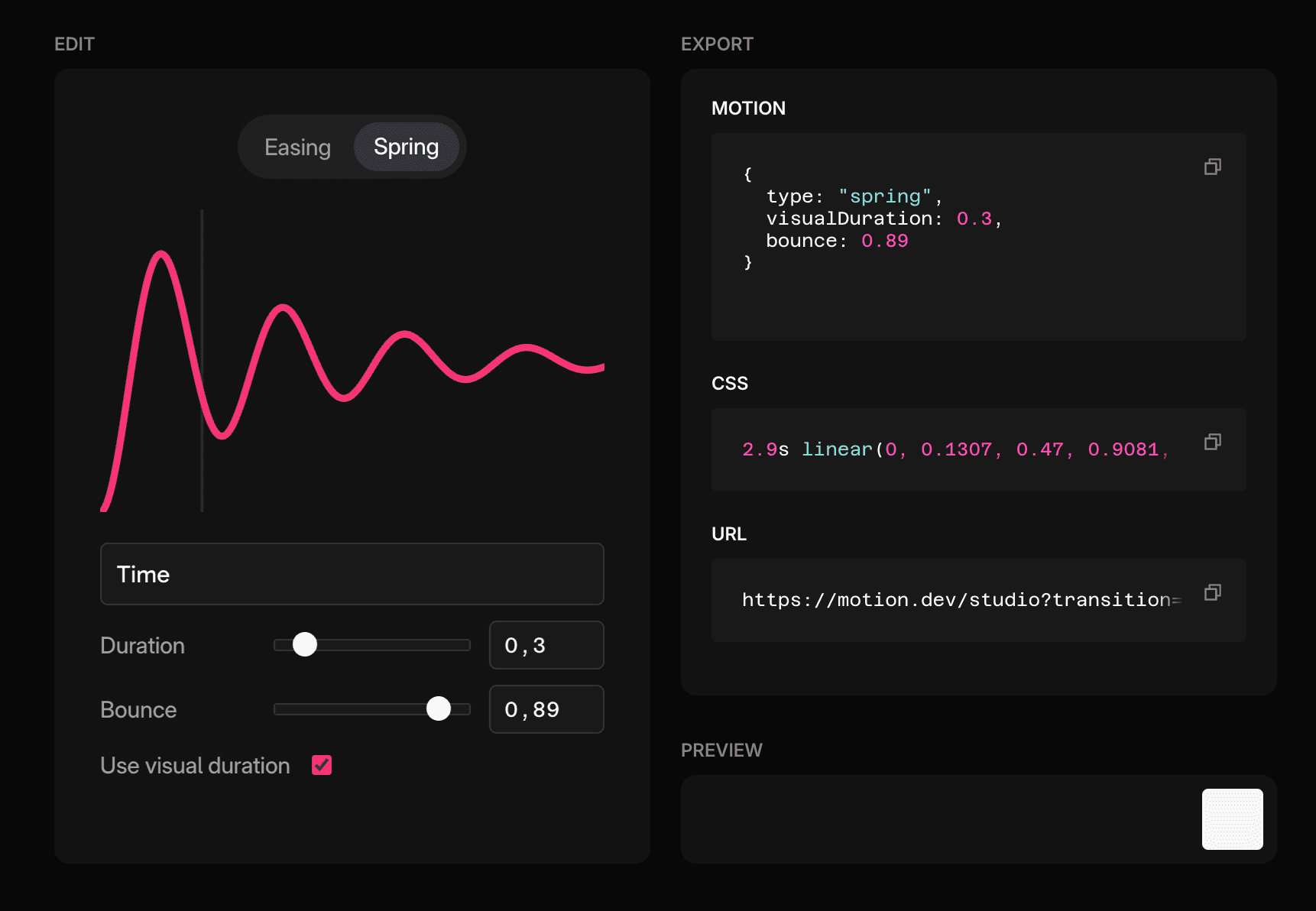
However, all of these tools involve you going back and forth between an external website.
This is improved somewhat with the Motion AI Kit, which sits in your code editor and lets your LLM generate CSS linear() curves using Motion's spring generator and bounce easing function. In a future iteration of the AI Kit Extension you'll be able to do this via the GUI, too.
But once you've created a curve, there's the problem of maintenance. When you see a curve like this:
linear(0, 0.1307, 0.47, 0.9081, 1.3218, 1.6076, 1.7063, 1.6131, 1.3729, 1.0633, 0.7715, 0.5701, 0.5011, 0.5676, 0.7377, 0.9564, 1.1623, 1.3041, 1.3524, 1.305, 1.1846, 1.03, 0.8847, 0.7849, 0.7511, 0.7849, 0.8701, 0.9793, 1.0819, 1.1522, 1.1758, 1.1517, 1.0914, 1.0142, 0.9418, 0.8923, 0.8758, 0.893, 0.9357, 0.9902, 1.0413, 1.0762, 1.0877, 1.0755, 1.0452, 1.0067, 0.9707, 0.9461, 0.9381, 0.9468, 0.9682, 0.9954, 1.0208, 1.0381, 1.0437, 1.0375, 1.0224, 1.0031, 0.9852, 0.973, 0.9691, 0.9735, 0.9843, 0.9978, 1.0105, 1.0191, 1.0218, 1.0187, 1.0111, 1.0015, 0.9925, 0.9865, 0.9846, 0.9868, 0.9922, 0.999, 1.0053, 1.0095, 1.0109, 1.0093, 1.0055, 1.0007, 0.9962, 0.9932, 0.9923, 0.9935, 0.9961, 0.9995, 1.0027, 1.0048, 1.0054, 1.0046, 1.0027, 1.0003, 0.9981, 0.9966, 1)What does it do? How is it meant to feel? And if you knew it was a spring, how do you edit it? These are essentially opaque, inscrutable tokens.
The AI Kit will soon bake in comments that describe the generated spring so they remain readable and editable.
transition: /* duration:0.5,bounce:0.3 */ linear(...points)But until then, compare the linear() curve above to:
animate(element, keyframes, { type: spring, bounce: 0.3 })Or:
animate(element, keyframes, { ease: rough, duration: 0.7 })These are immediately recognisable and tweakable.
Additionally, it's not just tweaking the curve that requires a new linear() generation. Changing the duration does, too.
A linear() curve is a series of points with straight lines in-between. More points = smoother curve. But the number of points required for a smooth curve is a constant per second, therefore an animation of 0.6 seconds requires twice as many points as a 0.3 second animation. Which means changing duration requires a return trip to your curve editor.
This also brings us on to the second benefit of dynamic curve generation, the filesize.
Filesize
The accepted wisdom in some quarters is that JS libraries are unnecessary bloat. Therefore, if we can accept the negative DX, some would say they're still worth pre-baking in order to save kb.
Not always. A very bouncy spring requires a linear() path that's 2.3kb - the same size as animate() itself. It's quite an extreme curve, around 9 seconds long. But it gives you an idea of how quickly these curves can accumulate, especially across a large codebase. Whereas animate() will only ever be 2.3kb and always output a curve that's the correct resolution for your animation duration.
Conclusion
WAAPI is incredibly valuable. It provides us animations that can run smoothly even when the site is busy. But until recently, it meant giving up the expressive array of easing functions found in libraries like GSAP, or Motion's expressive spring animations.
In this post we've seen we can have the best of both worlds thanks to Motion's animate() function.
Finally, if you're eager to dive deeper on linear() easing curves, there's no better resource than this excellent post by Josh W Comeau.