Family-style dialog
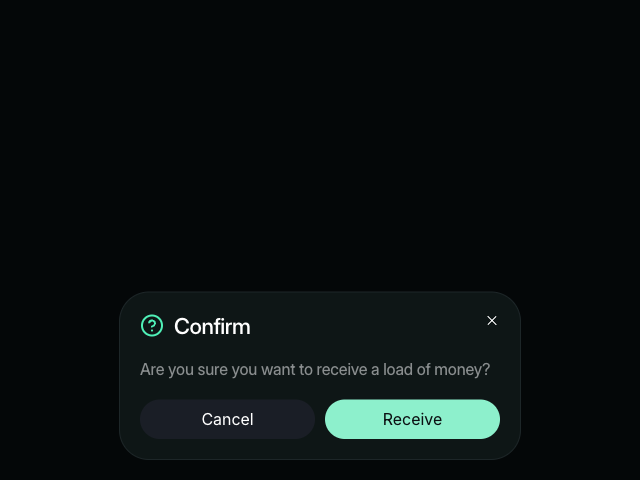
Family-style dialog using Motion. It uses the HTML dialog and Motion's animateView function for View Transitions.

Tutorial
Introduction
The Family-style dialog example shows how to create a smooth, animated dialog using the HTML <dialog> element combined with the browser's View Transition API.
This example uses Motion's animateView function to orchestrate seamless transitions between the open and closed states, morphing the trigger button into the dialog's action button.
Motion's animateView function provides a simple way to work with view transitions, handling the complexity of coordinating DOM updates with smooth visual transitions. The example also uses animate for button press interactions and press to detect user taps and clicks.
Get started
First, let's set up the HTML structure with a button to open the dialog and the dialog element itself:
<button class="openButton">
    <span>Receive</span>
</button>

<dialog>
    <div class="modal">
        <div>
            <h2 class="title h3">
                /** Copy icon from example source code */ Confirm
            </h2>
            <p>Are you sure you want to receive a load of money?</p>
            <div class="controls">
                <button class="cancel" style="border-radius: 50px">
                    Cancel
                </button>
                <button class="save" style="border-radius: 50px">
                    <span>Receive</span>
                </button>
            </div>
            <button class="closeButton" aria-label="Close">
                /** Copy icon from example source code */
            </button>
        </div>
    </div>
</dialog>

<style>
    /** Copy styles from example source code */
</style>

<script type="module">
    const openButton = document.querySelector(".openButton")
    const dialog = document.querySelector("dialog")
    const modal = document.querySelector(".modal")
    const closeButton = document.querySelector(".closeButton")
    const cancelButton = document.querySelector(".cancel")
    const saveButton = document.querySelector(".save")
</script>
Notice how the save button inside the dialog has the same "Receive" label as the open button. We'll morph between these two buttons during the transition.
The modal has a view-transition-name: modal CSS property, which identifies it as a participant in the View Transition. We'll add more view transition names dynamically with JavaScript.
Add View Transition styles
The View Transitions API requires CSS to define how elements animate. Let's add keyframes and view transition styles:
@keyframes modal-in {
    from {
        transform: translateY(60px);
    }
    to {
        transform: translateY(0px);
    }
}

@keyframes modal-out {
    from {
        transform: translateY(0px);
    }
    to {
        transform: translateY(60px);
    }
}

::view-transition-group(modal) {
    overflow: clip;
}

::view-transition-image-pair(modal) {
    animation: modal-in 300ms cubic-bezier(0, 0.42, 0.34, 0.98);
    animation-fill-mode: both;
}

.out::view-transition-image-pair(modal) {
    animation: modal-out 300ms cubic-bezier(0, 0.42, 0.34, 0.98);
}

::view-transition-group(button) {
    overflow: clip;
    border-radius: 50px;
    z-index: 2;
}

::view-transition-old(button),
::view-transition-new(button) {
    animation: none;
    mix-blend-mode: normal;
}

::view-transition-group(label) {
    z-index: 3;
}
These styles control how the modal slides in and out, and how the button morphs. The button transition group will contain both the open button and save button, creating a seamless morph effect.
Related examples
Latest in JavaScript
Unlock all 400+ examples
- Source code for every Plus example.
- Provide examples direct to your agent via Motion's MCP.
- Lifetime access to new examples and APIs.