<div class="stage">
    <div class="basket">
        <div class="ring"></div>
        <svg xmlns="http://www.w3.org/2000/svg" width="26" height="26" viewBox="0 0 24 24" fill="none" stroke="currentColor" stroke-width="2" stroke-linecap="round" stroke-linejoin="round">
            <path d="m15 11-1 9" />
            <path d="m19 11-4-7" />
            <path d="M2 11h20" />
            <path d="m3.5 11 1.6 7.4a2 2 0 0 0 2 1.6h9.8a2 2 0 0 0 2-1.6l1.7-7.4" />
            <path d="M4.5 15.5h15" />
            <path d="m5 11 4-7" />
            <path d="m9 11 1 9" />
        </svg>
    </div>

    <div class="center">
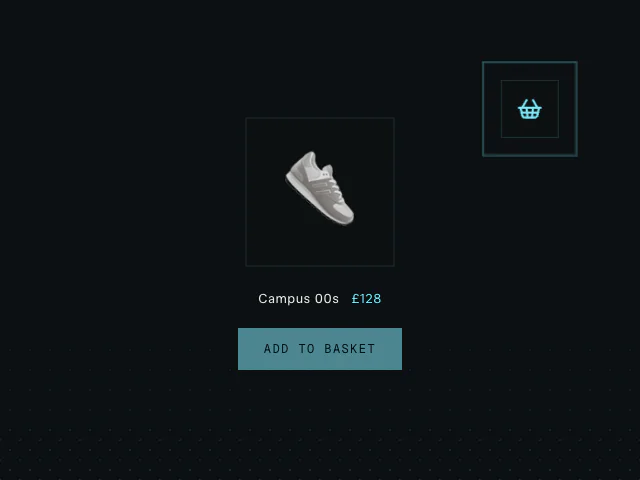
        <div class="product"><span class="glyph">👟</span></div>

        <div class="meta">
            <span class="name">Campus 00s</span>
            <span class="price">£128</span>
        </div>

        <button class="add" type="button">Add to basket</button>
    </div>
</div>

<script type="module">
    import { animate, arc, hover, motionValue, press } from "motion"

    /**
     * ==============   Constants   ================
     */

    const strength = 0.5
    const peak = 0.15
    const rotate = 0.9
    const duration = 0.45
    const basketVelocityFactor = 0.05
    const direction = "cw"
    const ease = [0.74, 0.18, 0.93, 0.69]

    const PRODUCT_SIZE = 160
    const BASKET_BOX = 56

    // Shrink the flying product down to roughly the basket's size.
    const FLY_SCALE = BASKET_BOX / PRODUCT_SIZE

    const product = document.querySelector(".product")
    const basket = document.querySelector(".basket")
    const ring = document.querySelector(".ring")
    const button = document.querySelector(".add")

    let isFlying = false

    button.addEventListener("click", async () => {
        if (isFlying) return
        isFlying = true
        button.disabled = true

        // Centre-to-centre delta so the product lands in the basket,
        // independent of the scale applied along the way.
        const from = product.getBoundingClientRect()
        const to = basket.getBoundingClientRect()
        const dx = to.left + to.width / 2 - (from.left + from.width / 2)
        const dy = to.top + to.height / 2 - (from.top + from.height / 2)

        // Probe the same x/y travel on motion values so we can read the
        // arrival velocity (the element animation's own values aren't exposed
        // in vanilla).
        const probeX = motionValue(0)
        const probeY = motionValue(0)

        // Fly into the basket along a curve, shrinking to its size and fading
        // out over the final stretch.
        await Promise.all([
            animate(
                product,
                { x: dx, y: dy, scale: FLY_SCALE, opacity: [1, 1, 0] },
                {
                    duration,
                    ease,
                    path: arc({
                        strength,
                        peak,
                        rotate,
                        direction,
                    }),
                    opacity: { inherit: true, times: [0, 0.95, 1] },
                },
            ),
            animate(probeX, dx, { duration, ease }),
            animate(probeY, dy, { duration, ease }),
        ])

        // Knock the basket with the product's own arrival velocity, then let a
        // spring settle it back to rest.
        animate(
            basket,
            { x: 0, y: 0 },
            {
                type: "spring",
                stiffness: 500,
                damping: 12,
                x: {
                    inherit: true,
                    velocity: probeX.getVelocity() * basketVelocityFactor,
                },
                y: {
                    inherit: true,
                    velocity: probeY.getVelocity() * basketVelocityFactor,
                },
            },
        )

        // Ripple an outline out from the basket as it takes the hit.
        animate(
            ring,
            { scale: [1, 2.2], opacity: [0.8, 0] },
            { duration: 0.5, ease: "easeOut" },
        )

        // Snap the now-invisible product back to its resting spot, ready to
        // reappear.
        animate(
            product,
            { x: 0, y: 0, scale: 0.9, rotate: 0, opacity: 0 },
            { duration: 0 },
        )

        // Bring a fresh product back into view, scaling in with a slight bounce.
        await animate(
            product,
            { opacity: 1, scale: 1 },
            {
                scale: { type: "spring", visualDuration: 0.4, bounce: 0.35 },
                opacity: { duration: 0.25, ease: "easeOut" },
            },
        )

        button.disabled = false
        isFlying = false
    })

    // Hover and press feedback on the CTA, driven by Motion.
    hover(button, () => {
        animate(button, { scale: 1.03 }, { type: "spring", stiffness: 400, damping: 20 })
        return () =>
            animate(button, { scale: 1 }, { type: "spring", stiffness: 400, damping: 20 })
    })

    press(button, () => {
        animate(button, { scale: 0.97 }, { duration: 0.1 })
        return () =>
            animate(button, { scale: 1 }, { type: "spring", stiffness: 400, damping: 15 })
    })
</script>

<style>
    /* Fill the sandbox so the basket sits in the true top-right. */
    #sandbox {
        position: relative;
    }

    .stage {
        position: absolute;
        inset: 0;
        display: flex;
        align-items: center;
        justify-content: center;
        overflow: hidden;
        font-family: var(--font-mono);
        color: var(--foreground);
    }

    .basket {
        position: absolute;
        top: 80px;
        right: 80px;
        width: 56px;
        height: 56px;
        display: flex;
        align-items: center;
        justify-content: center;
        background: var(--layer);
        border: 1px solid var(--border);
        color: var(--accent);
        will-change: transform;
    }

    .ring {
        position: absolute;
        inset: -1px;
        border: 1px solid var(--accent);
        opacity: 0;
        pointer-events: none;
        will-change: transform, opacity;
    }

    .center {
        display: flex;
        flex-direction: column;
        align-items: center;
        gap: 18px;
    }

    .product {
        width: 160px;
        height: 160px;
        display: flex;
        align-items: center;
        justify-content: center;
        background: var(--layer);
        border: 1px solid var(--border);
        will-change: transform, opacity;
    }

    .glyph {
        font-size: 84px;
        line-height: 1;
        user-select: none;
    }

    .meta {
        display: flex;
        align-items: baseline;
        gap: 12px;
        font-family: var(--font-mono);
        font-size: 13px;
        letter-spacing: 0.04em;
    }

    .name {
        color: var(--foreground);
    }

    .price {
        color: var(--accent);
    }

    .add {
        margin-top: 4px;
        padding: 13px 26px;
        border: none;
        background: var(--accent);
        color: var(--background);
        font-family: var(--font-mono);
        font-size: 12px;
        letter-spacing: 0.12em;
        text-transform: uppercase;
        cursor: pointer;
    }

    .add:disabled {
        opacity: 0.55;
        pointer-events: none;
    }
</style>

 Add to basket
 Pointer collision detection
 Swipe actions