"use client"

import {
  animate,
  LazyMotion,
  motion,
  pinchFeatures,
  useMotionValue,
  useMotionValueEvent,
  useTransform,
} from "motion/react"
import { useState } from "react"
import type { KeyboardEvent, PointerEvent } from "react"

const snappy = { type: "spring", stiffness: 420, damping: 32 } as const

// Pixels the dial moves for each degree of rotation
const pixelsPerDegree = 3

const normalise = (degrees: number) => ((Math.round(degrees) % 360) + 360) % 360

export default function PinchRotate() {
  /**
   * One rotate value drives the photo, the dial and the readout. The
   * pinch writes to it because it's the photo's style.rotate.
   */
  const rotate = useMotionValue(0)

  // 50% puts the 0 tick under the needle
  const ticksX = useTransform(
    () => `calc(50% - 0.75px + ${-rotate.get() * pixelsPerDegree}px)`,
  )

  const [degrees, setDegrees] = useState(0)
  useMotionValueEvent(rotate, "change", (latest) =>
    setDegrees(normalise(latest)),
  )

  // The dial snaps to the nearest quarter turn, like the pinch
  const snap = () => animate(rotate, Math.round(rotate.get() / 90) * 90, snappy)

  /**
   * Trackpad pinches in Chrome and Firefox only report scale, so the
   * dial rotates the photo too.
   */
  const onDialDown = (event: PointerEvent<HTMLDivElement>) => {
    const dial = event.currentTarget
    rotate.stop()
    dial.setPointerCapture(event.pointerId)

    const startX = event.clientX
    const startRotate = rotate.get()

    const move = (moveEvent: globalThis.PointerEvent) => {
      if (moveEvent.pointerId !== event.pointerId) return
      rotate.set(startRotate - (moveEvent.clientX - startX) / pixelsPerDegree)
    }
    const end = (endEvent: globalThis.PointerEvent) => {
      if (endEvent.pointerId !== event.pointerId) return
      window.removeEventListener("pointermove", move)
      window.removeEventListener("pointerup", end)
      window.removeEventListener("pointercancel", end)
      snap()
    }

    // The window, so the drag carries on once the pointer leaves the dial
    window.addEventListener("pointermove", move)
    window.addEventListener("pointerup", end)
    window.addEventListener("pointercancel", end)
  }

  const onDialKey = (event: KeyboardEvent) => {
    const direction =
      event.key === "ArrowRight" ? 1 : event.key === "ArrowLeft" ? -1 : 0
    if (!direction) return
    event.preventDefault()
    animate(rotate, Math.round(rotate.get() / 90) * 90 + direction * 90, snappy)
  }

  return (
    <LazyMotion features={pinchFeatures}>
      <div className="pr-editor">
        <div className="pr-frame" aria-label="Twist with two fingers to rotate">
          <motion.img
            className="pr-photo"
            src="/photos/japan/1.jpg"
            alt="A red neon sign in Tokyo"
            draggable={false}
            style={{ rotate }}
            // rotate.snap turns it to the nearest quarter turn on release
            pinch={{ rotate: { snap: 90 }, scale: false, pan: false }}
          />
        </div>
        <div className="pr-controls">
          <span className="pr-angle" aria-live="polite">
            {degrees}°
          </span>
          <div
            className="pr-dial"
            role="slider"
            tabIndex={0}
            aria-label="Rotation"
            aria-valuemin={0}
            aria-valuemax={359}
            aria-valuenow={degrees}
            onPointerDown={onDialDown}
            onKeyDown={onDialKey}
          >
            <motion.div
              className="pr-ticks"
              style={{ backgroundPositionX: ticksX }}
            />
            <div className="pr-needle" />
          </div>
          <span className="pr-hint">
            Twist with two fingers, or drag the dial
          </span>
        </div>
        <Stylesheet />
      </div>
    </LazyMotion>
  )
}

function Stylesheet() {
  return (
    <style>{`
      .pr-editor {
        width: min(340px, calc(100vh - 220px));
        padding: 8px;
        border-radius: 24px;
        background: #ffffff;
        box-shadow:
          0 0 0 1px rgba(24, 34, 46, 0.06),
          0 1px 2px rgba(24, 34, 46, 0.06),
          0 12px 32px rgba(24, 34, 46, 0.1);
        font-family: -apple-system, BlinkMacSystemFont, "Segoe UI", sans-serif;
        user-select: none;
        -webkit-user-select: none;
      }

      .pr-frame {
        aspect-ratio: 1;
        border-radius: 16px;
        background:
          radial-gradient(circle, rgba(24, 34, 46, 0.08) 1px, transparent 1.5px)
            0 0 / 12px 12px,
          #f1f3f6;
        display: flex;
        align-items: center;
        justify-content: center;
        touch-action: none;
      }

      .pr-photo {
        width: 72%;
        aspect-ratio: 1;
        object-fit: cover;
        border-radius: 12px;
        box-shadow:
          0 1px 2px rgba(24, 34, 46, 0.12),
          0 12px 28px rgba(24, 34, 46, 0.22);
        display: block;
      }

      .pr-controls {
        display: flex;
        flex-direction: column;
        align-items: center;
        gap: 10px;
        padding: 14px 8px 8px;
      }

      .pr-angle {
        font-size: 15px;
        font-weight: 600;
        color: #18222e;
        font-variant-numeric: tabular-nums;
      }

      .pr-dial {
        position: relative;
        width: 100%;
        height: 28px;
        cursor: ew-resize;
        touch-action: none;
        mask-image: linear-gradient(
          to right,
          transparent,
          #000 25%,
          #000 75%,
          transparent
        );
      }

      .pr-dial:focus-visible {
        outline: 2px solid #2563eb;
        outline-offset: 4px;
        border-radius: 6px;
      }

      .pr-ticks {
        position: absolute;
        inset: 0;
        background-image:
          linear-gradient(to right, #18222e 1.5px, transparent 1.5px),
          linear-gradient(to right, #c3c8d2 1px, transparent 1px);
        background-size:
          135px 18px,
          15px 12px;
        background-repeat: repeat-x;
        background-position: calc(50% - 0.75px) center;
      }

      .pr-needle {
        position: absolute;
        left: 50%;
        top: 0;
        bottom: 0;
        width: 2px;
        margin-left: -1px;
        border-radius: 1px;
        background: #ff3b5c;
      }

      .pr-hint {
        font-size: 13px;
        color: #9aa1ae;
      }
    `}</style>
  )
}

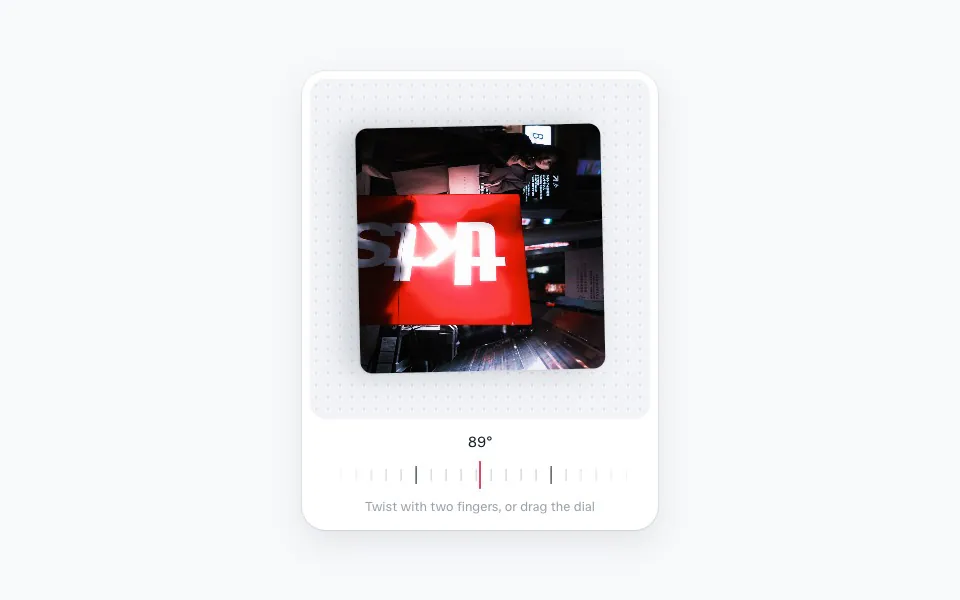 Pinch to rotate
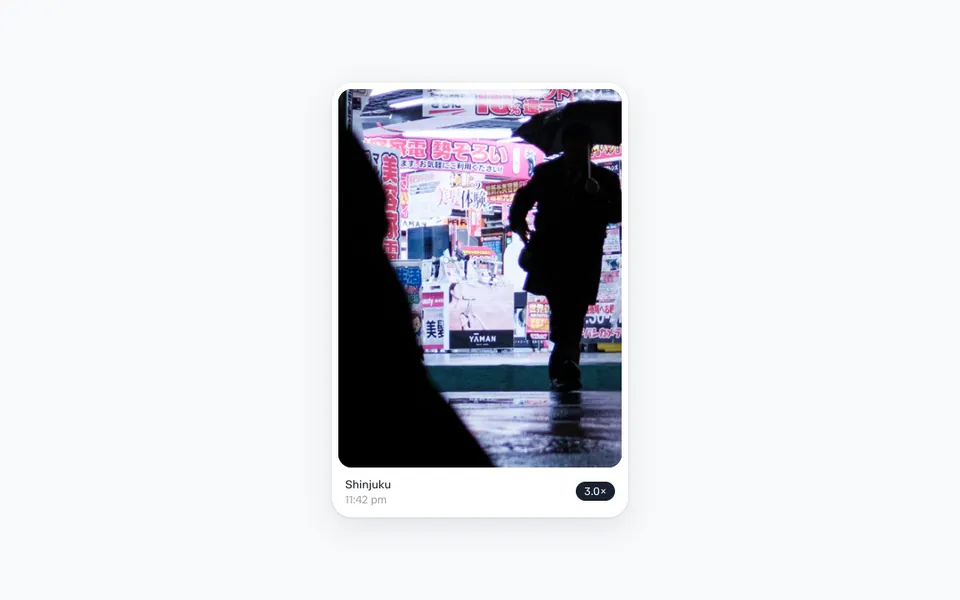 Pinch to zoom
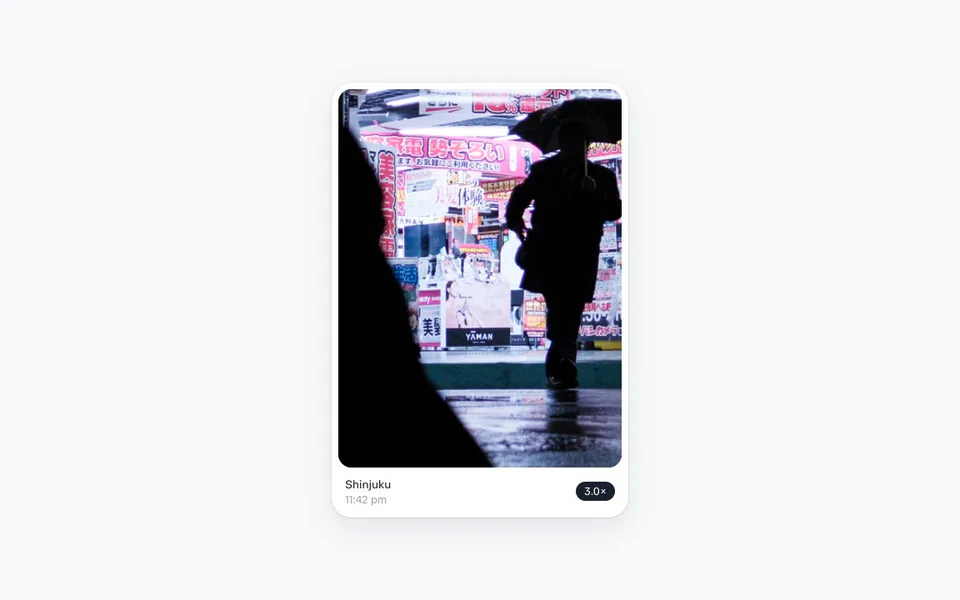 Pinch to zoom