"use client"

import { motion, useScroll, useTransform } from "motion/react"
import { useRef } from "react"

export default function ScrollHorizontal() {
    const containerRef = useRef(null)
    const { scrollYProgress } = useScroll({
        target: containerRef,
        offset: ["start start", "end end"],
    })

    // Move from first item centered to last item centered
    const totalDistance = (items.length - 1) * (ITEM_WIDTH + GAP)
    const x = useTransform(scrollYProgress, [0, 1], [0, -totalDistance])

    return (
        <div id="example">
            <section className="intro-section">
                <h1 className="impact">Tokyo Nights</h1>
            </section>

            <div ref={containerRef} className="scroll-container">
                <div className="sticky-wrapper">
                    <motion.div className="gallery" style={{ x }}>
                        {items.map((item) => (
                            <div
                                key={item.id}
                                className="gallery-item"
                                style={
                                    {
                                        "--item-color": item.color,
                                        "--item-image": `url(${item.image})`,
                                    } as React.CSSProperties
                                }
                            >
                                <div className="item-content">
                                    <span className="item-number">0{item.id}</span>
                                    <h2>{item.label}</h2>
                                </div>
                            </div>
                        ))}
                    </motion.div>
                </div>
            </div>

            <section className="outro-section">
                <p className="big">Fin</p>
            </section>

            <StyleSheet />
        </div>
    )
}

/**
 * ==============   Styles   ================
 */

function StyleSheet() {
    return (
        <style>{`
            body {
                overflow-x: hidden;
            }

            #example {
                height: auto;
                overflow: visible;
            }

            .intro-section {
                height: 50vh;
                display: flex;
                flex-direction: column;
                justify-content: flex-end;
                align-items: center;
                text-align: center;
                padding-bottom: 40px;
            }

            .intro-section h1 {
                font-size: clamp(36px, 8vw, 72px);
                color: var(--white);
                margin: 0;
                text-transform: uppercase;
            }

            .scroll-container {
                height: 300vh;
                position: relative;
            }

            .sticky-wrapper {
                position: sticky;
                top: 0;
                height: 100vh;
                width: 400px;
                margin: 0 auto;
                display: flex;
                align-items: center;
                justify-content: flex-start;
                overflow: visible;
            }

            .gallery {
                display: flex;
                gap: 30px;
                will-change: transform;
            }

            .gallery-item {
                flex-shrink: 0;
                width: 400px;
                height: 500px;
                border-radius: 12px;
                position: relative;
                overflow: hidden;
                background-image: var(--item-image);
                background-size: cover;
                background-position: center;
            }

            .gallery-item::before {
                content: "";
                position: absolute;
                inset: 0;
                background: linear-gradient(
                    to bottom,
                    transparent 60%,
                    var(--item-color)
                );
                mix-blend-mode: multiply;
            }

            .item-content {
                position: absolute;
                bottom: 30px;
                left: 30px;
                z-index: 1;
            }

            .item-number {
                font-size: 14px;
                color: var(--item-color);
                font-family: "Geist Mono", monospace;
                display: block;
                margin-bottom: 8px;
            }

            .gallery-item h2 {
                font-size: 28px;
                font-weight: 600;
                color: var(--white);
                margin: 0;
            }

            .outro-section {
                height: 100vh;
                display: flex;
                justify-content: center;
                align-items: center;
            }

            @media (max-width: 600px) {
                .sticky-wrapper {
                    width: 280px;
                }

                .gallery {
                    gap: 15px;
                }

                .gallery-item {
                    width: 280px;
                    height: 350px;
                }
            }

            @media (prefers-reduced-motion: reduce) {
                .gallery {
                    transform: none !important;
                }
                .scroll-container {
                    height: auto;
                }
                .sticky-wrapper {
                    position: relative;
                    height: auto;
                    width: 100%;
                    overflow-x: auto;
                    padding: 50px 0;
                }
            }
        `}</style>
    )
}

/**
 * ==============   Data   ================
 */

const items = [
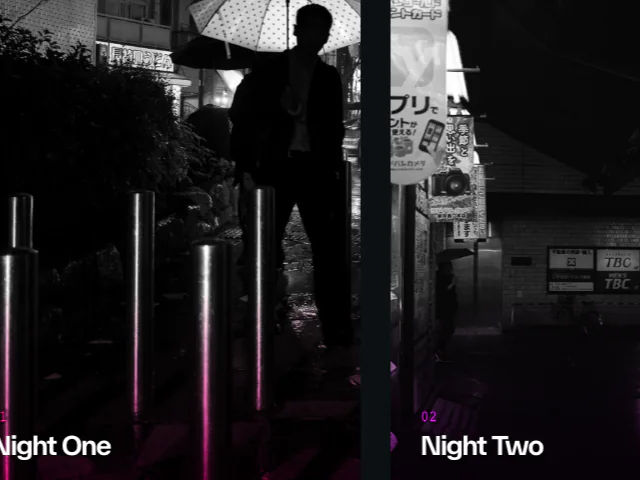
    { id: 1, color: "var(--hue-1)", label: "Night One", image: "/photos/tokyo-shinjuku-2/image-1.jpg" },
    { id: 2, color: "var(--hue-2)", label: "Night Two", image: "/photos/tokyo-shinjuku-2/image-2.jpg" },
    { id: 3, color: "var(--hue-3)", label: "Night Three", image: "/photos/tokyo-shinjuku-2/image-3.jpg" },
    { id: 4, color: "var(--hue-4)", label: "Night Four", image: "/photos/tokyo-shinjuku-2/image-4.jpg" },
    { id: 5, color: "var(--hue-5)", label: "Night Five", image: "/photos/tokyo-shinjuku-2/image-8.jpg" },
]

const ITEM_WIDTH = 400
const GAP = 30

 Scroll Direction: Hide Header
 Scroll Horizontal Gallery
 Scroll Text Lines