"use client"

import { usePointerPosition } from "motion-plus/react"
import {
    animate,
    motion,
    SpringOptions,
    useMotionValue,
    useSpring,
    useTransform,
} from "motion/react"
import { useEffect, useLayoutEffect, useRef, useState } from "react"

/**
 * ==============   Utils   ================
 */

function calculateAngle(index: number, totalInRing: number): number {
    return (index / totalInRing) * Math.PI * 2
}

function calculateBasePosition(angle: number, radius: number) {
    return {
        x: Math.cos(angle) * radius,
        y: Math.sin(angle) * radius,
    }
}

function calculateHue(angle: number): number {
    const hueDegrees = (angle * 180) / Math.PI - 90 - 180
    return ((hueDegrees % 360) + 360) % 360
}

interface ColorDotProps {
    ring: number
    index: number
    totalInRing: number
    centerX: number
    centerY: number
    pointerX: ReturnType<typeof usePointerPosition>["x"]
    pointerY: ReturnType<typeof usePointerPosition>["y"]
    pushMagnitude: number
    pushSpring: SpringOptions
    radius: number
    selectedColor: string | null
    setSelectedColor: (color: string | null) => void
}

function ColorDot({
    ring,
    index,
    totalInRing,
    centerX,
    centerY,
    pointerX,
    pointerY,
    pushMagnitude,
    pushSpring,
    radius,
    selectedColor,
    setSelectedColor,
}: ColorDotProps) {
    const baseRadius = ring * 20
    const angle = calculateAngle(index, totalInRing)
    const { x: baseX, y: baseY } = calculateBasePosition(angle, baseRadius)

    let color = "hsl(0, 0%, 100%)"
    let normalizedHue = 0
    if (ring !== 0) {
        normalizedHue = calculateHue(angle)
        color =
            ring === 1
                ? `hsl(${normalizedHue}, 60%, 85%)`
                : `hsl(${normalizedHue}, 90%, 60%)`
    }

    const pushDistance = useTransform(() => {
        if (centerX === 0 || centerY === 0) return 0

        const px = pointerX.get()
        const py = pointerY.get()

        const dx = px - centerX
        const dy = py - centerY
        const distanceFromCenter = Math.sqrt(dx * dx + dy * dy)

        if (distanceFromCenter > radius) return 0

        const dotX = centerX + baseX
        const dotY = centerY + baseY

        const cursorToDotX = dotX - px
        const cursorToDotY = dotY - py
        const cursorToDotDistance = Math.sqrt(
            cursorToDotX * cursorToDotX + cursorToDotY * cursorToDotY
        )

        const minDistance = 80
        if (cursorToDotDistance < minDistance) {
            const pushStrength = 1 - cursorToDotDistance / minDistance
            return pushStrength * pushMagnitude
        }

        return 0
    })

    const pushAngle = useTransform(() => {
        if (centerX === 0 || centerY === 0) return angle

        const px = pointerX.get()
        const py = pointerY.get()

        const dotX = centerX + baseX
        const dotY = centerY + baseY

        const cursorToDotX = dotX - px
        const cursorToDotY = dotY - py

        return Math.atan2(cursorToDotY, cursorToDotX)
    })

    const pushX = useTransform(() => {
        const distance = pushDistance.get()
        const angle = pushAngle.get()
        return Math.cos(angle) * distance
    })

    const pushY = useTransform(() => {
        const distance = pushDistance.get()
        const angle = pushAngle.get()
        return Math.sin(angle) * distance
    })

    const springPushX = useSpring(pushX, pushSpring)
    const springPushY = useSpring(pushY, pushSpring)

    const x = useTransform(() => baseX + springPushX.get())
    const y = useTransform(() => baseY + springPushY.get())

    const dotVariants = {
        default: {
            scale: 1,
        },
        hover: {
            scale: 1.5,
            transition: { duration: 0.13 },
        },
    }

    const ringVariants = {
        default: {
            opacity: 0,
        },
        hover: {
            opacity: 0.4,
            transition: { duration: 0.13 },
        },
    }

    return (
        <motion.div
            className="color-dot"
            style={{
                x,
                y,
                backgroundColor: color,
                willChange: "transform, background-color",
            }}
            variants={dotVariants}
            initial="default"
            whileHover="hover"
            whileTap={{ scale: 1.2 }}
            onTap={() => {
                if (selectedColor === color) {
                    setSelectedColor(null)
                } else {
                    setSelectedColor(color)
                }
            }}
            transition={{
                scale: { type: "spring", damping: 30, stiffness: 200 },
            }}
        >
            <motion.div className="color-dot-ring" variants={ringVariants} />
        </motion.div>
    )
}

interface GradientCircleProps {
    index: number
    totalInRing: number
    centerX: number
    centerY: number
    pointerX: ReturnType<typeof usePointerPosition>["x"]
    pointerY: ReturnType<typeof usePointerPosition>["y"]
    containerRadius: number
}

function GradientCircle({
    index,
    totalInRing,
    centerX,
    centerY,
    pointerX,
    pointerY,
    containerRadius,
}: GradientCircleProps) {
    const angle = calculateAngle(index, totalInRing)
    const baseRadius = containerRadius - 40
    const { x: baseX, y: baseY } = calculateBasePosition(angle, baseRadius)
    const normalizedHue = calculateHue(angle)

    const gradient = `radial-gradient(circle, hsla(${normalizedHue}, 90%, 60%, 1) 0%, hsla(${normalizedHue}, 90%, 60%, 0) 66%)`

    const proximity = useTransform(() => {
        if (centerX === 0 || centerY === 0) return 0

        const px = pointerX.get()
        const py = pointerY.get()

        const gradientX = centerX + baseX
        const gradientY = centerY + baseY

        const dx = px - gradientX
        const dy = py - gradientY
        const distance = Math.sqrt(dx * dx + dy * dy)

        const maxDistance = 100
        const proximityValue = Math.max(0, 1 - distance / maxDistance)

        return proximityValue
    })

    const { opacity, scale } = useTransform(proximity, [0, 1], {
        opacity: [0.15, 0.35],
        scale: [1, 1.2],
    })

    const springOpacity = useSpring(opacity, {
        damping: 30,
        stiffness: 100,
    })
    const springScale = useSpring(scale, {
        damping: 30,
        stiffness: 100,
    })

    return (
        <motion.div
            className="gradient-circle"
            style={{
                x: baseX,
                y: baseY,
                opacity: springOpacity,
                scale: springScale,
                background: gradient,
                willChange: "transform, opacity",
            }}
        />
    )
}

export default function ColorPicker({
    pushMagnitude = 5,
    pushSpring = {
        damping: 30,
        stiffness: 100,
    },
}: {
    pushMagnitude?: number
    pushSpring?: SpringOptions
}) {
    const containerRef = useRef<HTMLDivElement>(null)
    const [{ centerX, centerY, radius }, setContainerDimensions] = useState({
        centerX: 0,
        centerY: 0,
        radius: 200,
    })

    const pointer = usePointerPosition()
    const [selectedColor, setSelectedColor] = useState<string | null>(null)

    useLayoutEffect(() => {
        if (containerRef.current) {
            const rect = containerRef.current.getBoundingClientRect()
            setContainerDimensions({
                centerX: rect.left + rect.width / 2,
                centerY: rect.top + rect.height / 2,
                radius: rect.width / 2,
            })
        }
    }, [])

    const rings = [{ count: 1 }, { count: 6 }, { count: 12 }]

    const dots: Array<{
        ring: number
        index: number
        totalInRing: number
    }> = []

    rings.forEach((ring, ringIndex) => {
        for (let i = 0; i < ring.count; i++) {
            dots.push({
                ring: ringIndex,
                index: i,
                totalInRing: ring.count,
            })
        }
    })

    const originalStopValues: string[] = []
    for (let i = 0; i <= 360; i += 30) {
        originalStopValues.push(`hsl(${i}, 90%, 60%)`)
    }

    const stopMotionValues = originalStopValues.map(
        // eslint-disable-next-line react-hooks/rules-of-hooks
        (value: string) => useMotionValue(value)
    )

    useEffect(() => {
        if (selectedColor !== null) {
            for (const stopValue of stopMotionValues) {
                animate(stopValue, selectedColor, {
                    duration: 0.2,
                })
            }
        } else {
            for (let i = 0; i < stopMotionValues.length; i++) {
                animate(stopMotionValues[i], originalStopValues[i], {
                    duration: 0.2,
                })
            }
        }
        // eslint-disable-next-line react-hooks/exhaustive-deps
    }, [selectedColor])
    console.log(selectedColor)
    const gradientBackground = useTransform(() => {
        let stops = ""
        for (let i = 0; i < stopMotionValues.length; i++) {
            stops += stopMotionValues[i].get()
            if (i < stopMotionValues.length - 1) {
                stops += ", "
            }
        }
        return `conic-gradient(from 0deg, ${stops})`
    })

    const gradientScale = useMotionValue(1)

    useEffect(() => {
        if (selectedColor !== null) {
            animate(gradientScale, 1.1, {
                type: "spring",
                visualDuration: 0.2,
                bounce: 0.8,
                velocity: 2,
            })
        } else {
            animate(gradientScale, 1, {
                type: "spring",
                visualDuration: 0.2,
                bounce: 0,
            })
        }
    }, [selectedColor, gradientScale])

    return (
        <div className="gradient-wrapper">
            <div className="background">
                <motion.div
                    className="gradient-background"
                    style={{
                        background: gradientBackground,
                        scale: gradientScale,
                    }}
                />
                <motion.div
                    className="solid-background"
                    animate={{
                        scale: selectedColor !== null ? 0.9 : 0.98,
                    }}
                    transition={{
                        type: "spring",
                        visualDuration: 0.2,
                        bounce: 0.2,
                    }}
                />
            </div>
            <div ref={containerRef} className="picker-background">
                {Array.from({ length: 6 }).map((_, index) => (
                    <GradientCircle
                        key={`gradient-${index}`}
                        index={index}
                        totalInRing={6}
                        centerX={centerX}
                        centerY={centerY}
                        pointerX={pointer.x}
                        pointerY={pointer.y}
                        containerRadius={radius}
                    />
                ))}
                {dots
                    .slice()
                    .reverse()
                    .map((dot) => (
                        <ColorDot
                            key={`${dot.ring}-${dot.index}`}
                            ring={dot.ring}
                            index={dot.index}
                            totalInRing={dot.totalInRing}
                            centerX={centerX}
                            centerY={centerY}
                            pointerX={pointer.x}
                            pointerY={pointer.y}
                            radius={radius}
                            pushMagnitude={pushMagnitude}
                            pushSpring={pushSpring}
                            selectedColor={selectedColor}
                            setSelectedColor={setSelectedColor}
                        />
                    ))}
            </div>
            <StyleSheet />
        </div>
    )
}

/**
 * ==============   Styles   ================
 */

function StyleSheet() {
    return (
        <style>
            {`
        .gradient-wrapper {
            position: relative;
            width: 140px;
            height: 140px;
            display: flex;
            align-items: center;
            justify-content: center;
        }

        .background {
            position: absolute;
            inset: 0;
            width: 100%;
            height: 100%;
        }

        .gradient-background {
            position: absolute;
            inset: 0;
            width: 100%;
            height: 100%;
            border-radius: 50%;
            z-index: 0;
        }

        .solid-background {
            position: absolute;
            inset: 0;
            width: 100%;
            height: 100%;
            background-color: var(--layer);
            border-radius: 50%;
            z-index: 1;
        }

        .picker-background {
            position: relative;
            width: calc(100% - 5px);
            height: calc(100% - 5px);
            border-radius: 50%;
            overflow: visible;
            z-index: 2;
        }

        .color-dot {
            position: absolute;
            top: 50%;
            left: 50%;
            width: 32px;
            height: 32px;
            border-radius: 50%;
            translate: -50% -50%;
            cursor: pointer;
        }

        .color-dot-ring {
            position: absolute;
            inset: 0;
            border: 2px solid white;
            border-radius: 50%;
            mix-blend-mode: overlay;
            pointer-events: none;
        }

        .gradient-circle {
            position: absolute;
            top: 50%;
            left: 50%;
            width: 150px;
            height: 150px;
            border-radius: 50%;
            translate: -50% -50%;
            pointer-events: none;
            mix-blend-mode: color-burn;
        }
      `}
        </style>
    )
}
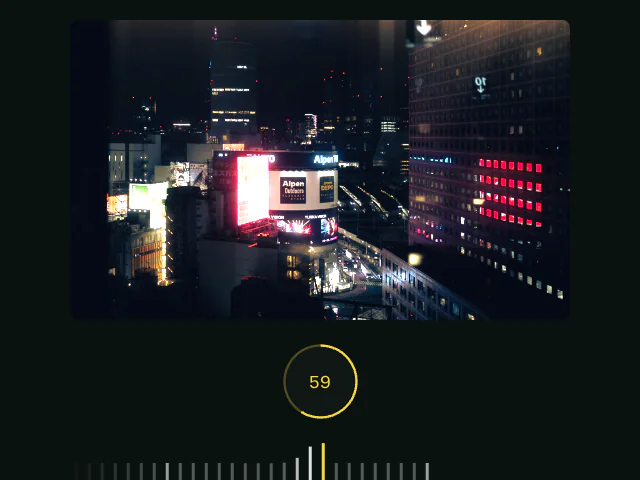 Carousel: iOS exposure slider
 Matt PerryInspired bySpatial
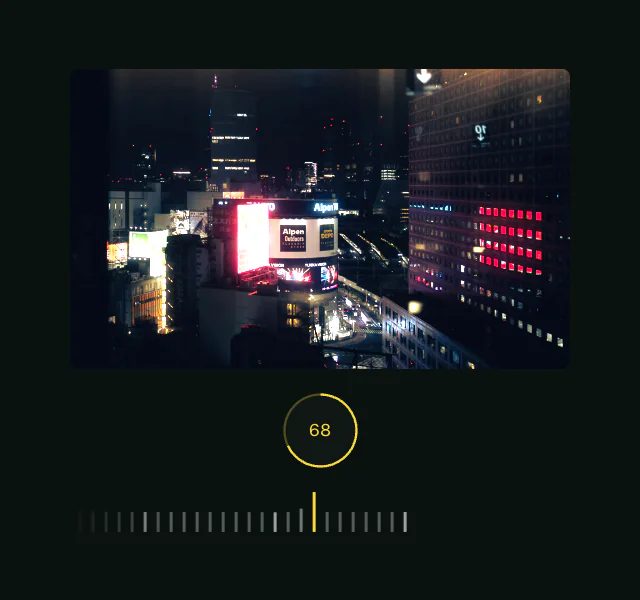 Carousel: iOS exposure slider
 Characters remaining