A View Transition API for the rest of us
The View Transition API can animate the impossible, but using it can be painful. Here's how Motion's animateView(), now free in the core library, fixes its rough edges.

The View Transition API is the most exciting new browser APIs in years. It's similar to Motion's existing layout animations, animating complex layouts that are otherwise unanimatable, but included in every browser.
I love it. But I'll be honest: drinking it neat is a rough experience.
Between layer name management, a pseudo-element CSS API with unpleasant and forgettable syntax, animations that snap when interrupted, blocked interaction, and shared element transitions that look weird by default, there are plenty of sharp edges.
This is why we built animateView. It's a thin wrapper over the browser's View Transition API that keeps all the features that make it so powerful, but packages it in a simpler API (with a light dusting of opinions) that makes it much easier to swallow.
Until today, it's been a Motion+ early access feature. Now, animateView is part of the core library, free for everyone to use:
import { animateView } from "motion"It also ships with a slew of new features, like automatic grouping, cropping, layer naming, staggering and more. Let me walk you through the View Transition API's biggest pain points, and how animateView addresses each one.
Pain point 1: Names
To include an element in a view transition, you give it a view-transition-name. That name has to be globally unique. And once it's set, that element joins every view transition on the page, whether you want it to or not.
In practice that means a lot of error-prone busywork: inventing and applying names, and remembering to strip them off afterwards so they don't pollute the next transition. Unique names make composition needlessly hard, the very thing components are meant to make easy.
The browser has started to help here. view-transition-name: match-element hands the browser a unique name per element based on its internal identity, while view-transition-name: auto derives the name from the element's id (and falls back to an auto-generated match-element if there isn't one). Both let you skip inventing names by hand.
But they come with strings attached. Support is still uneven: auto landed in Safari 18.2 and match-element in Chrome 137, Firefox 144 and Safari 18.4, so you can't rely on either everywhere yet. And the biggest catch: the name the browser generates is never exposed to you. You can't read it from JavaScript or target it from a selector, so the moment you want to customise that layer, you're back to naming it yourself.
animateView generates and applies names for you, and keeps a handle on them so they stay scriptable. You point .add() at the elements you care about:
animateView(() => {
  // your DOM update
}).add(".card")
Motion assigns a unique view-transition-name just before the snapshot, then removes it straight after. Only the elements you named take part, so a transition stays isolated to the thing that's actually moving.
Pain point 2: Pseudo-elements
Want to change the duration or easing of a transition? Natively, you reach for the ::view-transition-group(name) family of pseudo-selectors and write @keyframes. It's verbose, and missing features you'd expect from Motion like springs and custom JavaScript easing functions.
animateView takes a Motion transition, the same object you'd pass to animate. So you get springs out of the box:
import { animateView, spring } from "motion"

animateView(update, { type: spring, bounce: 0.3 })
Need to crossfade, wipe or slide an element as it enters or leaves? That's .enter() and .exit(), with keyframes and options, no pseudo-elements in sight:
animateView(update)
  .add(".panel")
  .enter({ opacity: 1, transform: ["translateY(50px)", "none"] })
  .exit({ opacity: 0 })
Define an exit and the enter animation will automatically use this as its initial keyframe:
animateView(update)
  .add(".item")
  .enter({ clipPath: "inset(0%)" })
  .exit({ clipPath: "inset(50%)" })
And if you do want to drop down to CSS for something bespoke, .class("panel") tags the layer with a view-transition-class you can target with custom CSS.
Pain point 3: Interruption
Start a view transition while one is already running, and the animation in-flight will snap to its final keyframe rather than interrupting smoothly. Compared to Motion's layout animations, it looks completely broken.
animateView queues the incoming transition until the current one has finished, so you never get that jarring snap. If you'd rather the new one take over straight away, opt in with interrupt: "immediate". We're not done here either: a future version will fast-forward the outgoing animation rather than wait it out.
Pain point 4: Aspect ratio
One of the headline features of view transitions is the ability to animate between any two layouts, even between different elements. But when the two layouts are of different aspect ratios, say a square thumbnail growing into a widescreen hero, the browser will preserve the aspect ratio of both layers and crossfades between them.
animateView crops morphing layers for you. A layer present both before and after the update is clipped to its box and its contents scaled to cover it, the equivalent of overflow: clip and object-fit: cover. That square thumbnail expands into the widescreen hero cleanly, with no distortion.
This is aspect-ratio aware, so not all layers are cropped by default. When you're after a specific effect, .crop(true) and .crop(false) force it either way:
animateView(update)
  .add(".title", ".heading")
  .crop(false)
Pain point 5: Grouping
Nest a transition inside something that clips, a card with overflow: hidden, say, and natively the child breaks free of that clip the moment the transition starts. Every named element becomes a flat, top-level layer, so the parent's clip, transform and opacity stop applying to it.
animateView automatically nests layers to match the original DOM (view-transition-group: contain). These grouped layers serve the dual purpose of matching the source cropping behaviour and ensuring delayed children correctly animate along with their parent elements.
When you want the opposite behaviour, an element that should lift out of its card and fly across the screen, .group(false) opts that layer out so it animates free of its ancestor's clip:
animateView(update)
  .add(".thumbnail")
  .group(false)
Pain point 6: Stagger
Animating a whole grid or list at once reads as a single flat snap. Staggering each item, so they ripple in one after another, is what makes it feel alive. Natively there's no hook for it: you'd be naming every element by hand and writing a separate @keyframes with its own animation-delay for each one.
animateView resolves a selector to every matching element, so a single .enter(), .exit() or layout morph can stagger across all of them. Pass the stagger function as the delay:
import { stagger } from "motion"

animateView(update)
  .add(".item")
  .enter(
    { opacity: [0, 1], scale: [0.6, 1] },
    { delay: stagger(0.05) }
  )
It's the same stagger you'd use with animate, so options like from and ease carry over.
Putting it together
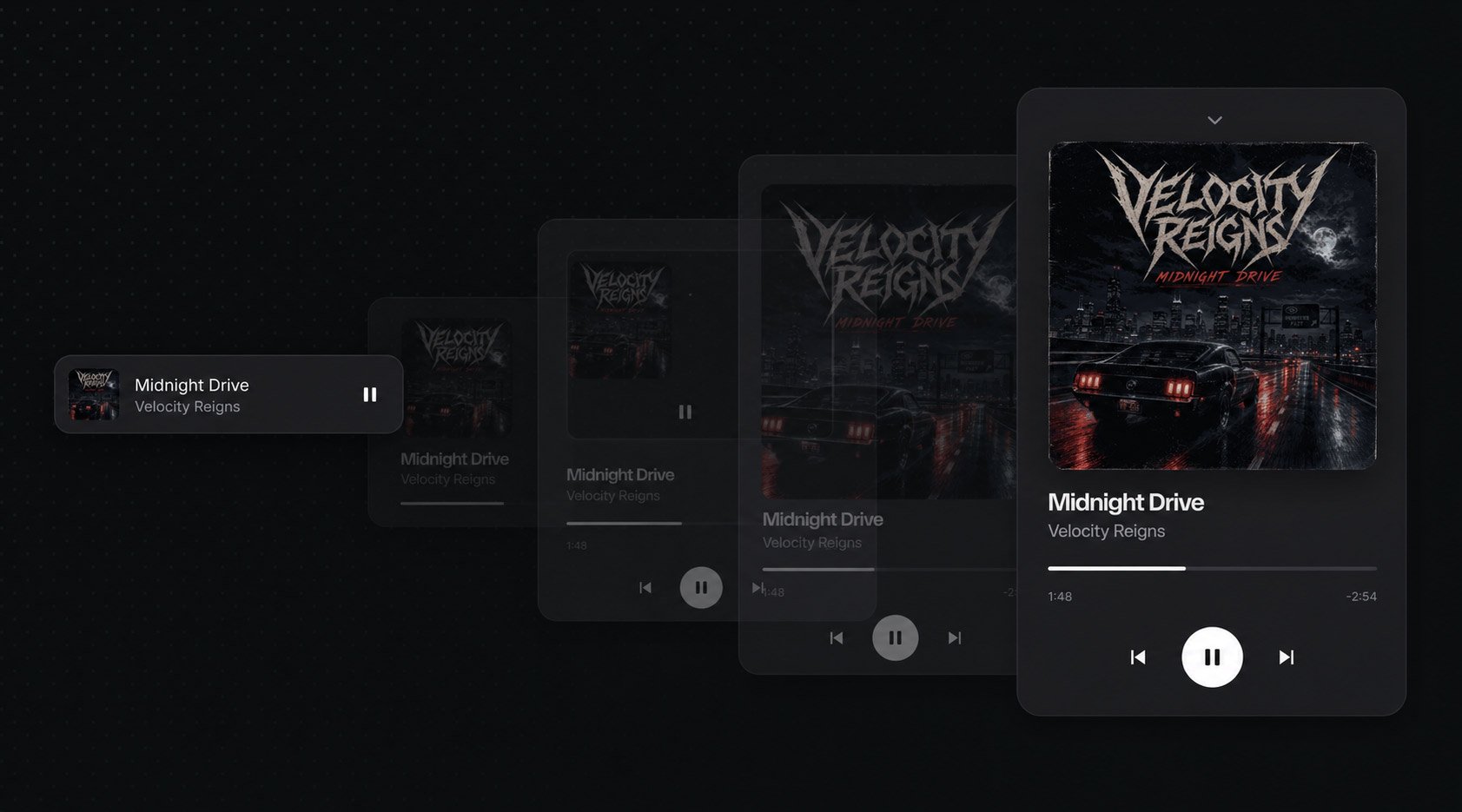
Here's all of the above in a single interaction: a now-playing demo where a compact player bar morphs into a full-screen player. The bar becomes the card, the artwork and the title and artist each keep their own layer (so the text isn't squashed by the container's scale), the pause button fades cleanly, and the whole thing springs, and survives being interrupted mid-morph.
The full source for this one is a Motion+ example, alongside the rest of our view-transition set, from an avatar that opens into a profile card to a streaming-style card-to-detail morph.
More to come
In the spirit of honesty, there's a rough edge still on our list. The View Transition API animates changes in scroll position, so if your DOM update also scrolls the page, named elements get dragged along for the ride. Motion's layout animations already cancel this out, and a future version of animateView will too. View transitions are an amazing new tool, not a silver bullet, and I'd rather tell you where the edges are than pretend they aren't there.
There's a new browser capability we want to fold in, too. Element-scoped view transitions let you call startViewTransition on a single element rather than the whole document, so a transition is confined to one subtree, several can run at once, and the rest of the page stays interactive. It's early, Chromium-only for now, so we're holding off, but the plan is to expose it as animateView(element, update) once it's worth relying on.
Try it today
animateView is in the core motion package now, free and open source, and it works in plain JavaScript as well as in any framework built on top of it. It needs a browser with the View Transition API (Chromium, and Safari 18+); the newest group-nesting crop wants Chromium 140+ and degrades gracefully everywhere else.
The full API, with stagger, dialogs, page wipes and more, is in the animateView docs. Go and build something that moves.