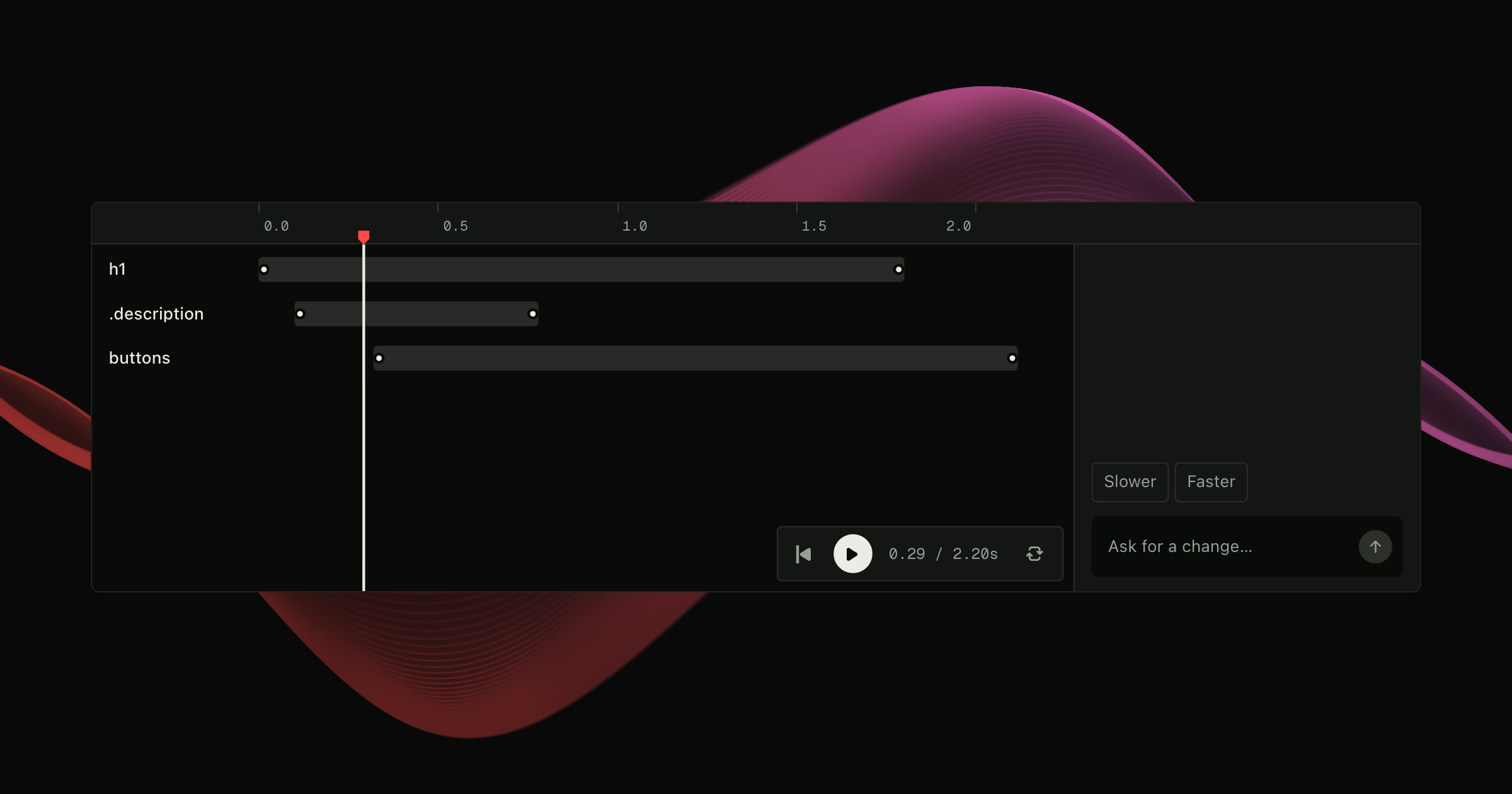
Introducing Motion Studio
A visual and agentic animation editor for your website. Edit Motion animations in a timeline alongside our new Ultramotion agent, and write the result to your code using your existing workflow.

When perfecting the feel of an animation, it can be difficult to stay in your flow. These days, animating is a process of back-and-forth between your code and your UI. Make a change, wait for the reload, test, repeat.
Agents have been a great new addition, allowing us to edit complex sequences without handwriting a ton of code. But for making small timing and easing adjustments, even the fastest models are too slow, needing to write every change back to your codebase.
Motion Studio provides the solution. An intuitive visual editor, mixed with our new fast editing agent, Ultramotion.
All changes to animations are local, with your site preview updating in real-time. When you're happy with your animation, Motion Studio will send your animation directly to your usual coding agent for implementation.
Real-time editing
Motion Studio works as a plugin for Vite, Webpack and Next.js. Visit your site in dev mode and Motion animations automatically appear in the timeline.
The timeline is designed to be accessible, even for beginners. Tracks can be dragged and resized, keyframes can be added or removed, values and springs tweaked all with a few clicks.
As you edit, the animation is previewed on your actual website, so you can judge the animation in context. Play, pause, or scrub to focus on the tiniest detail.
You can also select an element or group of elements to create a new animation from scratch. Motion Studio keeps the animation as a draft while you try different keyframes and transitions until you're ready to hit Apply.
Ultramotion
Sometimes it's easier to describe the change you want. Tell an agent to "stagger by 120ms" and it'll do it - after a while. Sometimes after long enough that your mind as started to wander.
Even the fastest LLMs are pretty slow next to the experience of live tweaking a visual timeline. There's nothing like using UI for keeping you within your flow. Until now.
Ultramotion is our fast animation editing agent, currently built on Jev and Luna.
Where a fast coding agent like Luna could take around 12 seconds to apply a prompt like this to code, Ultramotion works directly on your local working draft for edit speeds of under a second in many cases.
But this speed does come with limitations. Currently, Ultramotion only handles edits to existing animations, with new animations added via the UI.
Writing to code
Once you're happy with your animation, you can hit Apply. By default, Apply will copy a prompt for you to pass to your code agent for implementation.
But, users with a Cursor, Claude or Codex subscription can additionally connect their agent to Motion Studio to write updates automatically.
Additionally, the connected agent can be used as a fallback for Ultramotion in the unlikely event of usage limits, so you'll never be without a co-pilot.
The future
Motion Studio already supports all flavours of Motion: JavaScript, React, Vue, vgpu and Three.js. We also aim to have it working with CSS and WAAPI animations soon.
It works with animation sequences, variants, layout animations and gesture animations. But, in the future, we want it to support scroll animations and motion values too.
And for our agentic editing experience, we're going to continue to play with ways to make it even easier to add complex animations to your site.
Try it for free
Installing Motion Studio, inspecting animations and editing the local preview are free. Agentic edits and applying changes to source require a Motion Studio subscription.
See the plans, or install Motion Studio and try it on an animation you've already built.
We can't see what you make with it!