Motion UIComponentsComponent

Magnetic pull

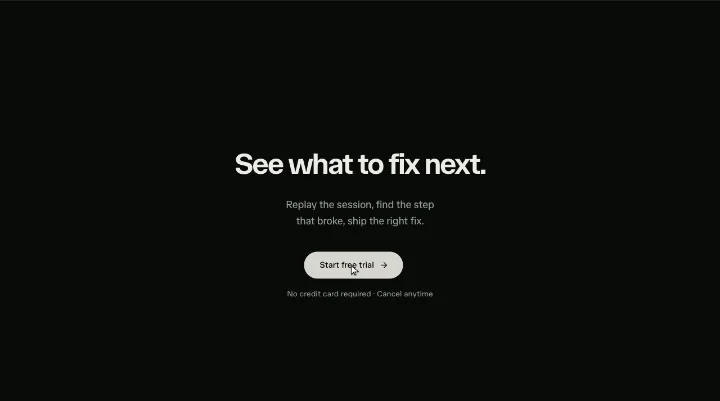
An element that gently chases the pointer within a magnetic field, then springs back.

npx shadcn@latest add @motion/magnetic-pull

API reference

Components

<Magnetic />

The drop-in magnetic wrapper: renders an invisible padded field zone that captures the pointer and, inside it, the pulled element carrying the x/y springs. Under reduced motion the springs are never bound, so the child cannot move. Compose your own trigger inside it: tsx <Magnetic pullStrength={0.4}> <MagneticButton onClick={start}>Start free trial</MagneticButton> </Magnetic>

children?

ReactNode

The element to pull - typically a MagneticButton, but any element works.

className?

string

Merged onto the field-zone wrapper after its own layout classes, so a consumer can resize the invisible catch area (its padding is what makes the magnet catch before the cursor reaches the element).

<MagneticButton />

The styled large-pill trigger: neutral foreground fill at rest, swapping to the brand --primary on hover so the accent reads as deliberate rather than page-wide noise, with the theme's snap tap feel and the shared focus ring. whileTap only touches scale, so it composes with a Magnetic wrapper's translate rather than fighting it. Purely presentational - wire it up via onClick.

children?

ReactNode = "Get started"

The button's visible label (and any trailing glyph).

className?

string

Merged onto the button element.

onClick?

() => void

Click handler.

type?

"button" | "submit" | "reset" = "button"

The button's type. Defaults to "button".

Hooks

useMagnetic

The magnetic-pull hook: owns the raw + smoothed x/y springs and the field pointer handlers, gated pointer-only and off under reduced motion. Put ref and style on the element that should be pulled, and spread fieldProps onto the invisible field zone wrapping it. Magnetic is this hook wired to a default field zone; reach for the hook directly only to graft the pull onto a bespoke layout.

useMagnetic(options: UseMagneticOptions): UseMagneticResult<T>

pullStrength?

number = DEFAULT_PULL_STRENGTH

How strongly the element chases the pointer while it is inside the field: the fraction of the pointer's distance from the element's own centre that is applied as the translate (then hard-clamped to maxPull). 0 pins it in place; higher values snap it closer to the cursor. Defaults to 0.35.

maxPull?

number = DEFAULT_MAX_PULL

Hard clamp on the displacement, in px - the element never travels further than this from rest. Defaults to 26.

Returns

ref

RefObject<T | null>

Ref for the pulled element - the flight is measured against it, so put it on the element that carries style.

style

{ x: MotionValue<number>; y: MotionValue<number> }

Motion style for the pulled element: the two smoothed springs the pull drives. Bind only while motion is allowed (see motionAllowed).

fieldProps

{ onPointerMove: (event: ReactPointerEvent<HTMLElement>) => void onPointerLeave: () => void }

Pointer handlers for the FIELD ZONE (usually a padded wrapper around the pulled element, so the magnet catches slightly before the cursor reaches the element). Spread onto that wrapper.

motionAllowed

boolean

Whether the pull is live: false under reduced motion, when the springs must never be bound so the element cannot move.

Functions

magneticPull

The pure, clamped magnetic displacement for one pointer move: measure the pointer's offset from the element's rest centre, scale it by pullStrength, and hard-clamp each axis to maxPull. This is the mechanic's whole safety guarantee (the element can never travel past maxPull, so it never detaches) expressed as a pure function, so a consumer grafting the pull onto their own element can reuse the exact maths useMagnetic runs internally.

magneticPull(options: MagneticPullInput): { x: number; y: number }

pointer

{ x: number; y: number }

The pointer position, in client coordinates (event.clientX/Y).

rect

{ left: number; top: number; width: number; height: number }

The pulled element's live bounding rect (getBoundingClientRect()), which already reflects the current x/y transform.

current

{ x: number; y: number }

The element's current translate, so the rest centre can be recovered from the live rect (rect centre - current). Without this the reference centre chases the element and the pull settles at only pullStrength / (1 + pullStrength) of the offset instead of pullStrength.

pullStrength

number

Fraction of the offset from rest centre applied as the translate.

maxPull

number

Hard clamp on the resulting displacement, in px.