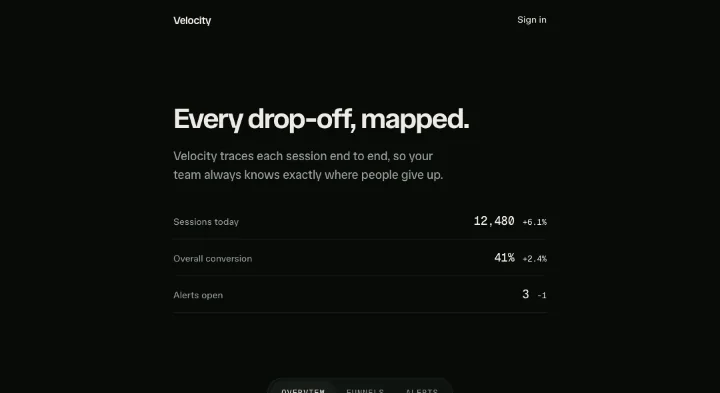
Page curtain
A slanted clip-wipe page transition that carries the incoming page name across the screen.
API reference
Components
<PageCurtainStage />
The scoped section the curtain wipes across. Full-bleed, overflow-hidden so the overlay never escapes it, and carrying the persistent polite live region. Everything else - header, content, tabs - is the consumer's own children.
announce
The live-region text announced on every page change (e.g. "Funnels page"). Kept persistent (never remounted) so a screen reader reliably fires the announcement - a remounted node can't.
children
Your page shell: header, the PageCurtainContent block, the tabs.
className?
Merged onto the <section>, last, for consumer layout.
ref?
From usePageCurtain().ref - the scope the curtain targets.
<PageCurtainContent />
A static page-body wrapper. The curtain fully covers the page swap, so the outgoing and incoming content never animate or overlap independently.
children
The current page body.
className?
Merged onto the wrapper - use it for the body's own layout (e.g. flex flex-col items-start gap-5).
<PageCurtainTabs />
The page-switch nav: a wrapping row of monospace uppercase tabs, the active one carrying a --primary wash + aria-current="page", each disabled while a transition is pending. Colour feedback rides the --motion-ui-* snap timing channel (declare a fallback on your section root, or it uses the browser default).
labels
The page labels, in page order - the tab text (and, in the hook, the curtain titles).
active
The active page index.
isPending?
Disable every tab while a transition is pending (from usePageCurtain().isPending).
onSelect
Navigate to a page - wire to usePageCurtain().go.
"aria-label"?
Accessible name for the nav. Defaults to "Pages".
className?
Merged onto the <nav>, last.
Hooks
usePageCurtain
The page-curtain controller: wraps Motion+'s useCurtains, derives the navigation direction for each transition, and gates reduced motion. Returns { page, isPending, go, ref }.
usePageCurtain(options: UsePageCurtainOptions): PageCurtaintitles
The per-page titles, in page order: each is painted onto the curtain as it wipes in over the incoming page. titles.length is the page count.
angle?
Tilt of the wipe edge, in degrees. Defaults to 9.
initial?
The initial page index. Defaults to 0.
Returns
page
The current page index.
isPending
Whether a curtain transition is mid-flight - disable the tabs while so.
go
Navigate to a page index. Runs the directional clip-wipe under full motion and an instant swap under reduced motion. No-op if already on that page or pending.
ref
Attach to PageCurtainStage - it is the scope the curtain targets.
Functions
titledClipWipe
A Motion+ clipWipe curtain effect that additionally paints title onto the covering overlay. clipWipe builds a single static overlay (class .motion-curtain) and clips it in/out; because a clip-path also clips the element's children, appending the title as a child of that overlay means the title is revealed and hidden by the exact same wipe edge - it rides the curtain rather than needing a second animation to keep it in sync. The title is decorative (a screen reader hears the stage's live region), so it is aria-hidden. The overlay fill and the title's centring/size/colour are set INLINE on the DOM nodes here (an inline style beats motion-plus-dom's own unlayered default .motion-curtain { background } rule, and means the mechanic needs no external CSS). The title is an <h2>, so a host's display-heading rule styles its face for free. NOTE the clipWipe(options) call: it returns the CurtainEffect DIRECTLY (setup/cover/reveal), it is NOT itself a factory, so it must not be called again. Calling the returned object as clipWipe(options)() throws synchronously inside the click handler and aborts the whole transition before any curtain mounts.
titledClipWipe(title: string, options: TitledClipWipeOptions): CurtainEffectFactorypageCurtainDirection
pageCurtainDirection(current: number, next: number): "left" | "right"Featured in
See the page curtain composed into full sections.