Motion UIComponentsComponent

Add to basket

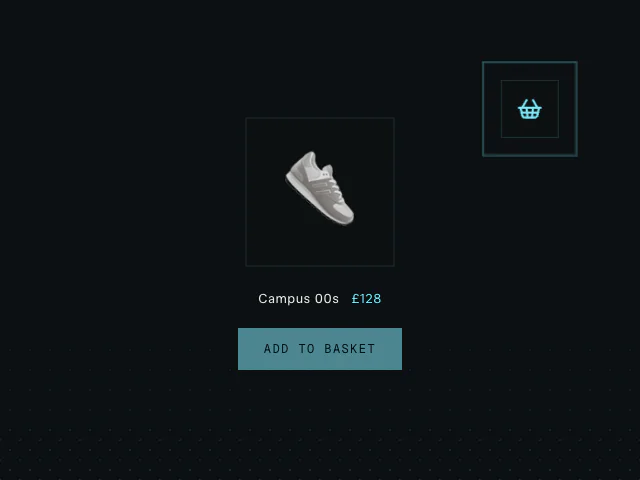
A product image that arcs into the basket icon, with a recoil and ripple on arrival.

npx shadcn@latest add @motion/add-to-basket

API reference

Components

<AddToBasketImage />

Wraps the product artwork that flies into the basket. The wrapper owns the motion values the flight animates, so the arrival velocity it reports is measured, not guessed.

children?

ReactNode

Your product artwork - the thing that flies into the basket.

className?

string

Merged onto the wrapping element. Size the image here; the flight measures the element, so any size works.

ref?

Ref<AddToBasketImageHandle>

Imperative handle driving the flight - pass to addToBasket.

<AddToBasketTarget />

Wraps the basket (or any landing element) so it can take the hit: the wrapper is what recoils, and it carries the accent ripple ring the impact scales out.

children?

ReactNode

Your basket icon (or any element the product should land in).

className?

string

Merged onto the wrapping element - style your basket box here.

ref?

Ref<AddToBasketTargetHandle>

Imperative handle driving the recoil - pass to addToBasket.

<AddToBasketButton />

The styled trigger: primary fill, the theme's snap hover/tap feel, the shared focus ring. Purely presentational - wire it to addToBasket (or anything else) via onClick.

children?

ReactNode = "Add to basket"

The button's visible label.

className?

string

Merged onto the button element.

disabled?

boolean

Disable while your add is in flight, if you want one add at a time.

onClick?

() => void

Your add handler - typically calls addToBasket and then updates your own cart state.

Functions

addToBasket

Runs the full choreography: flies the image into the basket, knocks the basket with the arrival velocity, ripples the ring, and pops a fresh image back into place. Resolves true at the LANDING beat - update your cart state then, so the count ticks exactly as the product arrives (the recoil and re-entry keep playing after). Resolves false if a flight is already in progress or a handle is missing.

addToBasket(options: AddToBasketOptions): Promise<boolean>

image

AddToBasketImageHandle | null

The AddToBasketImage handle - what flies.

basket

AddToBasketTargetHandle | null

The AddToBasketTarget handle - what takes the hit.

direction?

ArcDirection = "cw"

Which way the flight arc bends.

Related examples