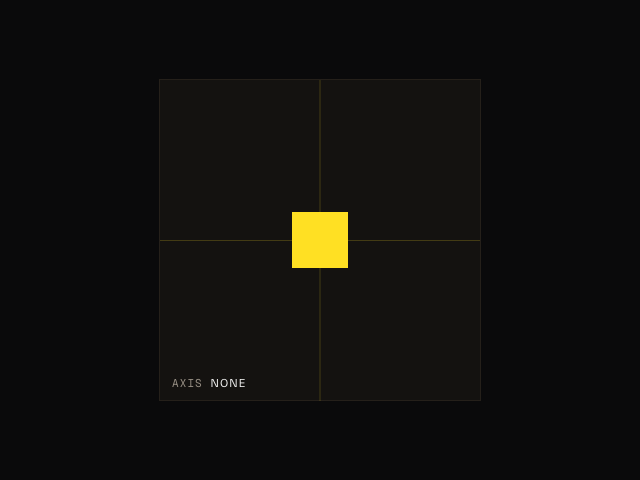
Motion's drag function makes elements draggable.
drag(".box")It's the same physics-based gesture as the React drag prop, with:
-
Momentum
-
Axis locking
-
Elastic constraints
-
Direction locking
Browsers provide a native Drag and Drop API. But it's built to move data, not elements, and it comes with an odd "ghost image" effect. drag moves the element itself, with transform, so it stays smooth.
Usage
Import
drag can be imported via "motion".
import { drag } from "motion"Make an element draggable
drag accepts an Element, an array of elements, or a CSS selector. A selector makes every matching element draggable.
drag(document.getElementById("my-id"))

drag(".card")drag moves the element with its x and y transforms. It also applies the styles a drag gesture needs:
-
touch-actionstops touch input from scrolling the page. -
user-selectstops text selection during the gesture. -
draggable="false"stops the browser's native drag.
Axis locking
To lock dragging to one axis, set axis to "x" or "y".
drag(".slider", { axis: "x" })With an axis set, touch input can still scroll the page along the other axis.
Animate after a drag
drag and animate use the same x and y values for an element. So animate can move an element after a drag, and a drag continues from wherever animate left the element.
drag(".box", {
  onEnd: () => {
    animate(".box", { x: 0, y: 0 }, { type: "spring" })
  }
})If a drag starts while animate moves the element, the drag stops that animation.
Stop the gesture
drag returns a function. Call it to remove the gesture and restore the element's original styles.
const stopDrag = drag(".box")

stopDrag()Momentum
When a user releases a draggable element, it has momentum. It performs an inertia animation based on the velocity of the pointer.
To turn this off, set momentum to false.
drag(".box", { momentum: false })To change the physics of the inertia animation, use transition. It accepts inertia options like power, timeConstant, bounceStiffness and bounceDamping.
drag(".box", {
  transition: { bounceStiffness: 600, bounceDamping: 10 }
})Snap to origin
To animate the element back to where it started when the user releases it, set snapToOrigin to true. It can also be "x" or "y" to snap one axis.
drag(".box", { snapToOrigin: true })Constraints
constraints limits where the element can move.
Pixel constraints
Pass an object of top, left, right and bottom values, in pixels. Each value is relative to the element's origin.
drag(".box", {
  constraints: { top: -50, left: -50, right: 50, bottom: 50 }
})Element constraints
Pass an element to keep the draggable element inside its bounding box.
drag(".box", {
  constraints: document.querySelector(".container")
})Motion measures the constraints when drag runs, and again when the element or the container changes size. To change the measured constraints, return a new box from onMeasureConstraints.
drag(".box", {
  constraints: document.querySelector(".container"),
  onMeasureConstraints: (constraints) => ({
    ...constraints,
    top: constraints.top + 20
  })
})Elastic constraints
By default, an element dragged past its constraints moves with some elasticity, then springs back on release. elastic sets how much, from 0 (no movement) to 1 (full movement). The default is 0.35.
drag(".box", {
  constraints: { left: 0, right: 300 },
  elastic: 0.1
})elastic can also be an object, to set a different value for each edge.
drag(".sheet", {
  axis: "y",
  constraints: { top: 0, bottom: 0 },
  elastic: { top: 0.15, bottom: 0.8 }
})Direction locking
To lock the element to the first axis it moves along, set directionLock to true. onDirectionLock fires with the locked axis.
drag(".box", {
  directionLock: true,
  onDirectionLock: (axis) => console.log(`Locked to ${axis} axis`)
})Nested draggable elements
When draggable elements are nested, only the innermost element moves. To allow a gesture to also start on a parent, set propagation to true.
drag(".parent", { propagation: true })Events
drag accepts callbacks for each stage of the gesture.
drag(".box", {
  onStart: (event, info) => console.log("Drag started"),
  onMove: (event, info) => console.log(info.offset.x),
  onEnd: (event, info) => console.log("Drag ended"),
  onTransitionEnd: () => console.log("Element at rest")
})onStart, onMove and onEnd receive the PointerEvent and an info object:
-
point: Thexandycoordinates of the pointer. -
delta: The distance moved since the last event. -
offset: The distance from where the gesture started. -
velocity: The current velocity of the pointer.
onTransitionEnd fires when the element stops moving after a release.
For example, to dismiss a sheet when the user drags it down far enough, or fast enough:
drag(".sheet", {
  axis: "y",
  constraints: { top: 0, bottom: 0 },
  onEnd: (event, info) => {
    if (info.offset.y > 100 || info.velocity.y > 800) close()
  }
})Style the element while dragging
Use onStart and onEnd to add and remove a class.
const box = document.querySelector(".box")

drag(box, {
  onStart: () => box.classList.add("dragging"),
  onEnd: () => box.classList.remove("dragging")
})Motion values
To use the dragged element's position elsewhere, bind your own motion values to its x and y with styleEffect. Do this before you call drag. The gesture then moves your motion values.
import { drag, mapValue, motionValue, styleEffect } from "motion"

const box = document.querySelector(".box")
const x = motionValue(0)

styleEffect(box, { x })
drag(box, { axis: "x" })

styleEffect(document.body, {
  opacity: mapValue(x, [-200, 0, 200], [0, 1, 0])
})To move the element after a drag and keep linked values in step, animate the motion value itself.
drag(box, {
  axis: "x",
  onEnd: () => animate(x, 0, { type: "spring" })
})Troubleshooting
Dragging an image shows a ghost image
drag sets draggable="false" on the draggable element. But <img> children are still draggable, so the browser shows its ghost image.
Set draggable="false" on these elements too.
<li class="card">
  <img src="photo.jpg" draggable="false" />
</li>Options
axis
Default: undefined
Set to "x" or "y" to lock dragging to one axis.
constraints
An object of top, left, right and bottom values in pixels, or an element to drag within.
elastic
Default: 0.35
How far the element can move past its constraints, from 0 to 1. Can be an object of values for each edge.
momentum
Default: true
Whether to carry the gesture's velocity into an inertia animation on release.
transition
Options for the inertia animation that runs on release: power, timeConstant, bounceStiffness, bounceDamping, restDelta and restSpeed.
snapToOrigin
Default: false
Animate back to the origin on release. Set to "x" or "y" for one axis.
directionLock
Default: false
Lock dragging to the first axis the pointer moves along.
propagation
Default: false
Allow gestures to start on draggable parent elements.
onStart, onMove, onEnd
Callbacks for the start, movement and end of the gesture. Each receives the PointerEvent and an info object.
onDirectionLock
Fires with "x" or "y" when directionLock locks an axis.
onTransitionEnd
Fires when the element comes to rest after a release.
onMeasureConstraints
Fires when Motion measures element constraints. Return a new box to override them.